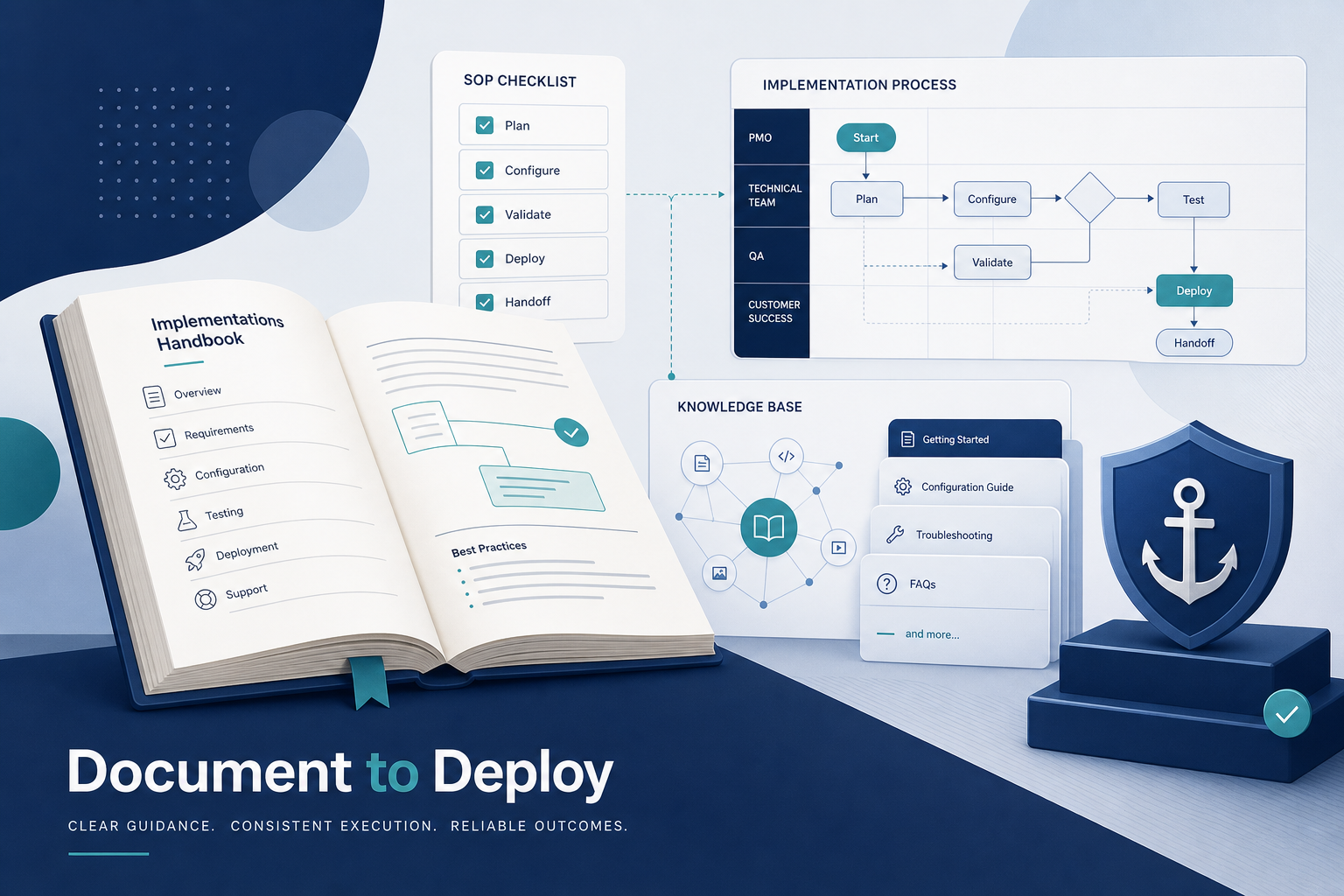
Documentation is the backbone of every successful software project. It captures decisions, preserves knowledge, and guides teams through complex implementations. Yet many organizations treat it as an afterthought—a box to check before launch.
This approach costs real money. According to Gartner, 70% of software maintenance costs stem from inadequate documentation. For custom software projects launched between 2024 and 2026, solid documentation is not optional. It directly impacts your ability to scale, maintain, and evolve your systems.
Table of Contents
ToggleKey Takeaways
Effective software documentation is as critical as the code itself for any custom software project started in 2024–2026.
Documentation must follow the full software development lifecycle, from requirements to maintenance, not just the launch phase.
Good docs cut onboarding time for new developers by 30–50% and reduce incident resolution time by up to 40%.
Structured documentation supports regulatory compliance, especially in finance, healthcare, and public-sector projects.
A documented single source of truth with a strong search engine is essential for scaling development teams and streamlining project management.
Quick Answer: Why Documentation Matters in Real Software Implementations
Clear documentation transforms ephemeral knowledge into enduring assets. It prevents costly rework and ensures business continuity—far from being an afterthought as often treated in rushed projects.
Here is how proper documentation delivers tangible benefits:
Accelerates delivery by 20–30% through clearer requirements (IEEE Software 2024 metrics).
Reduces bugs by providing precise specs that cut defect density by 35%.
Protects against turnover by codifying expertise and avoiding 50% of knowledge loss when senior engineers depart.
Supports audits and tenders as 65% of RFPs in 2025 required visible documentation according to Clutch.co surveys.
Consider these concrete examples: Northwoods documented their onboarding materials and reduced new developer ramp-up from 3 weeks to 5 days. Google’s SRE teams use detailed runbooks to cut major incident resolution from 6 hours to 2. According to a study by the Standish Group, clear documentation can increase project success rates by up to 30%.
The rest of this article shows you exactly what to document, when to capture it, and how to build a documentation process that scales with your team.
What Software Documentation Is and How It Fits into the Development Lifecycle
Software documentation encompasses all written, visual, and structured records that specify, design, build, deploy, test, and operate a system. It serves as the project’s institutional memory—especially critical for remote and distributed teams.
Core document types include:
Requirements specifications
Design documents and architecture diagrams
API documentation
Test plans and coverage reports
Runbooks and playbooks
User manuals and guides
These artifacts map directly to each software development lifecycle phase. Discovery produces user stories. Design generates architecture decision records. Implementation creates code comments and README files. Testing yields test case catalogs. Deployment requires rollback guides. Maintenance demands change logs.
For modern development teams, documentation replaces ad-hoc Slack threads and hallway conversations as shared memory. Process documentation describes the development process and procedures followed by the team, which is especially critical when using methodologies like Agile that focus on collaboration and continuous improvement. Documentation must evolve sprint by sprint rather than being written once at the end.

Core Benefits of Documentation for Development Teams and Stakeholders
The business impact of comprehensive documentation is measurable: lower risk, faster delivery, and better collaboration across any development team. A 2023 McKinsey study found that projects with lifecycle-integrated documentation experience 25% fewer delays in post-launch iterations.
Key benefits include:
Faster onboarding process: Good documentation drastically shortens the onboarding process for new developers, allowing them to get up to speed without constantly relying on others for help. New hires ramp up 30–50% faster with READMEs and architecture maps.
Fewer misunderstandings: Clear requirements documentation trims scope creep by 28% according to PMI 2026 Pulse.
Improved project management: Decision logs prevent rework and save 15–20% of development time.
Easier maintenance: Externalizing tribal knowledge protects against the 20–30% annual developer churn noted in McKinsey’s 2024 talent report.
Reduced technical debt: Clear guidelines, architecture maps, and API specifications in documentation reduce errors, redundancies, and technical debt.
Robust documentation serves as a fundamental tool for knowledge transfer, supporting smooth collaboration among team members and maintaining continuity throughout a project’s lifecycle. Technical documentation ensures crucial system knowledge is not reliant on a single engineer, safeguarding business continuity.
Documentation helps teams share knowledge, track decisions, and avoid confusion, making it easier for everyone—including newcomers—to understand and improve the system over time. The implementation of effective software documentation standards is pivotal in reducing development errors, improving productivity, and minimizing project delays, as it aligns all team members towards the same objectives and enhances communication.
For long-running custom software projects spanning 3–5 years, effective documentation directly supports client trust. Gartner’s 2025 poll found 92% of enterprises cite documentation as key to contract renewals.
Types of Documentation Needed When Implementing Software
Different audiences need different documentation. Business stakeholders need requirements overviews. Developers seek code-level details. Ops teams require runbooks. Successful documentation should cover both technical and user-centric perspectives.
Software documentation standards are a set of guidelines and best practices that ensure documentation across different software projects remains consistent, clear, and comprehensive, facilitating seamless transitions between project phases and enhancing collaboration among team members.
Core categories include:
Business and requirements documents
Architecture and design docs
API documentation and integration guides
Code-level documentation
Operational documentation
Business documents support project management, budgeting, and change tracking. API documentation and integration guides are critical when systems must connect to CRMs, ERPs, payment gateways, or third-party services.
User documentation is essential for making end users aware of the full potential of a piece of software, using straightforward language to help them understand its features and functionalities. User guides and training materials drive adoption at go-live, not just compliance—cutting support tickets by 40% according to Zendesk 2024 metrics.
Requirements and Business Documentation
Requirements docs are created before implementation begins and updated as scope evolves. They capture the project’s “what” and “why” to prevent misalignment.
Key artifacts include:
Problem statement and vision document
User personas and stakeholder maps
User stories with acceptance criteria
Non-functional requirements (performance, uptime)
Product Requirements Documentation (PRD) that defines the project’s purpose, key features, and success criteria
Traceability matrices linking requirements to tests
Software requirements documentation outlines the features and intended behavior of a piece of software, capturing and explaining requirements effectively to avoid ambiguities during development. Well-structured documentation outlines technical requirements and testing scenarios, lowering the risk of project failures.
Clear requirements docs reduce scope creep by 30% according to Standish Group data. For regulated sectors, requirements documentation is often requested by auditors in 2024–2026 to prove due diligence—80% of fines avoided via documented requirements per Deloitte compliance analysis.
Architecture and Design Documentation
Architecture docs bridge high-level vision and concrete implementation choices. Technical documentation provides detailed information about software design and specifications, such as application programming interfaces (APIs) and algorithms, and describes how to develop, test, and maintain a specific product.
Required artifacts include:
High-level diagrams and C4-style views
Data models and entity-relationship diagrams
Sequence diagrams for key workflows
Architecture Decision Records (ADRs)
Security approach documentation
ADRs capture trade-offs with real examples. For instance, choosing PostgreSQL for ACID compliance versus MongoDB for schema flexibility in a 2025 cloud deployment. Google’s 2024 engineering practices credit ADRs for 40% faster refactoring. When assessing various options, choosing digital platforms for businesses can heavily influence operational efficiency. For example, a company might opt for Shopify to streamline e-commerce processes or utilize Salesforce for enhanced customer relationship management. These decisions often hinge on specific business needs and long-term strategic goals. The impact on business strategy choices can also dictate how well a company adapts to market changes. Selecting a platform that integrates seamlessly with existing systems can lead to significant competitive advantages. Ultimately, these strategic decisions play a crucial role in a company’s ability to innovate and respond to customer demands.
Request for Comments (RFCs) facilitate team debates before large design changes, shortening decision cycles by 25%. Good architecture documentation reduces design arguments and makes future rewrites safer.
API Documentation and Integration Guides
Modern systems are API-first, making API documentation central to any implementation. This documentation reduces integration time for partner teams and third-party vendors by up to 50% according to Akamai’s 2025 API report.
Essential API documentation includes:
Endpoints and methods
Authentication methods (OAuth2, JWT)
Request and response examples
Error codes and handling
Rate limits and quotas
API Documentation includes details on endpoints, request/response structures, and authentication methods for integrations. Tools like OpenAPI/Swagger generate interactive documentation. Postman collections enable shareable, testable API specs.
Clear integration guides become a differentiator when your product must connect to complex client ecosystems. RapidAPI surveys found 75% of enterprises reject undocumented APIs.
Code-Level Documentation and Inline Comments
Self-documenting code (descriptive names, clear structure) complements but does not replace documentation. Well documented code requires both good naming and strategic code comments.
Comments are useful when:
Explaining non-obvious algorithms or workarounds
Recording assumptions and invariants
Documenting external dependencies
Clarifying complex business rules
README files, module-level docs, and code snippets help new developers ramp up quickly—boosting onboarding speed by 45% according to GitHub’s 2025 Octoverse report. Documenting code focuses on the “why” rather than duplicating the obvious “what.”
Code documentation must live in the same repository and follow the same version control systems rules as the source code. This ensures everyone stays on the same page.
Operational Documentation: Runbooks, Playbooks, and Incident Records
After go-live, operational documentation keeps systems stable and supports on-call engineers. These documents directly impact mean time to resolution (MTTR)—reducing it by 40% per PagerDuty’s 2025 report.
Key operational documents include:
Runbooks with step-by-step procedures (restarting microservices, rotating API keys)
Playbooks for database failovers and scaling events
Incident postmortems with root cause analysis
Troubleshooting guides for common issues
Searchable operational docs should be easy to find through internal search and linked from monitoring and alert tools like Datadog or Sentry. These records prevent recurring problems and drive reliability improvements.
Documentation Across the Development Lifecycle: What to Capture and When
This section walks through documentation needs phase by phase. Each stage requires specific deliverables that build on previous work.
Documentation should be created “just in time” but before critical decisions are executed. Project managers should track documentation deliverables as tasks within project management tools like Jira or Azure DevOps. Keep artifacts lightweight but accurate so they evolve with the project.
Discovery and Requirements Phase
Documentation here focuses on capturing business goals, constraints, and high-level scope before coding begins.
Key artifacts include:
Vision document with success metrics
Stakeholder map and communication plan
Current-state process diagrams (BPMN)
Prioritized backlog with detailed descriptions
Project requirements with MoSCoW prioritization
These docs help align sponsors, product owners, and development teams early. Early documentation prevents expensive misunderstandings about budget, timeline, and expected outcomes—avoiding 35% of budget overruns per PMI data.
Design and Planning Phase
During design, documentation translates requirements into architecture and implementation plans.
Required items include:
Architecture overview with C4 diagrams
Data model and technical specifications
Integration plan for external APIs
Security approach (zero-trust, encryption)
High-level release roadmap with NFRs
Design docs must specify non-functional targets like performance (<200ms latency), availability (99.9% uptime), and data-retention rules. Technical leads use these docs to coordinate work across multiple development teams.
Updating design documentation after major changes is essential to keep it trustworthy. This builds confidence for future projects and provides a valuable historical record of decisions.
Implementation Phase
Coding should always be paired with documentation, not followed by a rushed doc sprint. Documentation serves as a living guide for future debugging, updates, and maintenance long after initial implementation.
Practical documentation tasks during implementation:
Updating READMEs as modules evolve
Maintaining ADRs for significant decisions
Keeping API references synchronized
Documenting feature flags and configuration settings
Recording data transformation logic
Pull requests should require documentation changes for user-facing or API modifications. Regular updates to documentation are essential to keep it aligned with the current state of the project, making it as important as the development of the product itself.
Testing, QA, and UAT Phase
Test documentation connects documented requirements with actual verification steps and outcomes.
Key artifacts include:
Test plans with coverage targets (>80% branch coverage)
Test case catalogs (BDD Gherkin format)
Automated test coverage reports
Defect logs with requirement references
User acceptance testing (UAT) scripts and checklists help business users validate behavior in staging environments. Captured edge cases and known limitations must be recorded for future teams and risk discussions.
Deployment and Handover Phase
Deployment documentation prevents last-minute surprises and failed rollouts. Clear handover documentation is essential when delivering custom software projects to internal IT or external clients.
Practical items include:
Deployment runbooks with Helm charts or Terraform
Rollback procedures (blue-green, canary)
Environment configuration lists
Versioning strategy for previous versions
Training materials and onboarding guides
Capture “as-deployed” configurations so future upgrades and audits are possible. This supports customer satisfaction and reduces Day 1 issues by 30% per AWS Well-Architected 2025 guidance.
Maintenance and Continuous Improvement Phase
Once live, documentation shifts to supporting change management, monitoring, and support teams.
Key artifacts include:
Change logs and release notes
Updated architecture diagrams
Records of decommissioned components
Performance tuning documentation
Ongoing documentation prevents knowledge erosion over multi-year maintenance periods. Proper documentation is crucial for scalable and maintainable systems, preventing the creation of orphaned software. Continuous improvement initiatives should always link to updated docs.
Legacy systems without documentation quickly become risky and expensive—CAST Highlight analysis shows 50% cost spikes in undocumented legacy systems.
Documentation, Compliance, and Risk Management
Many sectors now expect documentation to prove compliance, security, and quality. Quality software development lifecycle (SDLC) documentation is essential for ensuring compliance with industry standards and regulations, as it provides a comprehensive record of processes and decisions made throughout the project.
Relevant regulatory contexts include:
GDPR in the EU (data processing records)
HIPAA in the US (PHI handling)
PCI DSS for payments (tokenization, encryption)
ISO 27001 for information security
Regulators and enterprise clients often request evidence of the development process, testing, and change-control logs. Strong documentation reduces legal and operational risk when incidents, breaches, or disputes occur. Deloitte noted 85% of compliant projects in 2025 relied on documented processes.
Regulatory Compliance Records
Specific document sets demonstrate regulatory compliance in custom software projects.
Examples include:
Data processing registers and consent records
Security design notes and encryption specifications
Vendor risk assessments
Access control documentation
Having a centralized documentation system that includes records of external audits and compliance interactions simplifies the process of ensuring regulatory compliance and facilitates easier access to necessary information. Linking compliance docs to technical documents like architecture diagrams shortens audit preparation time by 60% per EY’s 2025 report.
Keeping these records up to date is part of the ongoing documentation process, not a one-time exercise. Robust documentation practices can significantly enhance a company’s ability to pass external audits and meet regulatory requirements, as they provide clear evidence of compliance efforts and project history.
Risk Logs, Decision Logs, and Incident Histories
Writing down risks and decisions turns assumptions into managed items. This prevents past mistakes from repeating and supports continuous improvement.
Key items include:
Risk registers with mitigation strategies
Decision logs with timestamps
Impact analysis records
Incident postmortems (blameless format)
These logs help new project managers and leads understand historical context on long-running implementations. For example, a documented risk about third-party API rate limits steered one team toward implementing caching—avoiding production outages.
Searchable incident histories reduce MTTR by 45% per New Relic 2025 data and support continuous reliability improvements.
Building a Single Source of Truth with a Strong Search Engine
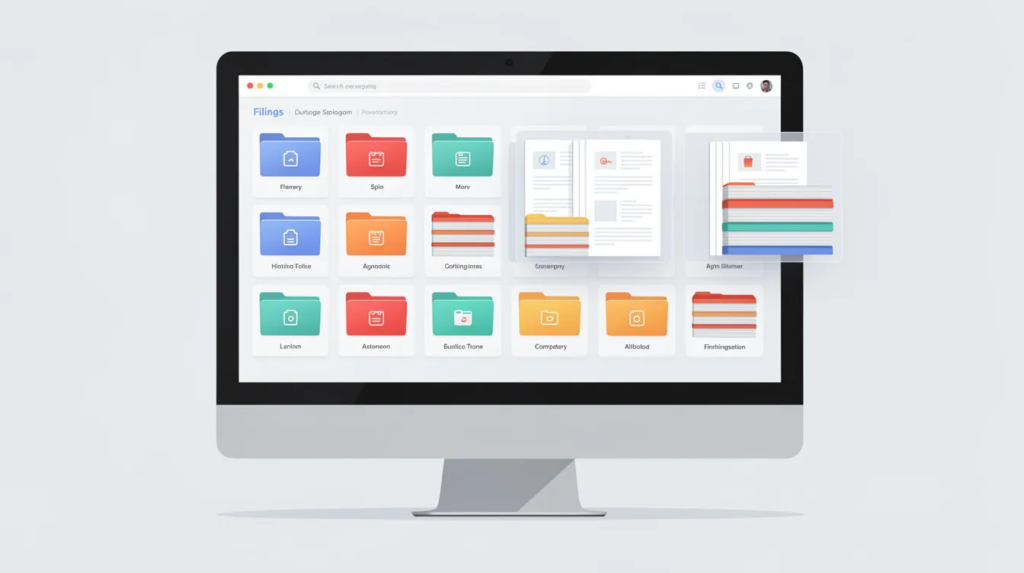
A single source of truth (SSOT) is a central, trusted documentation hub for all projects. A well-documented software project serves as a single source of truth (SSOT), which helps new team members quickly familiarize themselves with project requirements and workflows, thus enhancing the onboarding experience.
The SSOT should contain:
Standards and templates
Project documentation
Incident reports
Regulatory records
A single source of truth (SSOT) created through comprehensive and organized documentation helps company members have a universal reference point applicable to the work of all departments and any company projects.
Practical structures include spaces or folders per project, consistent naming conventions, and tagging by domain and lifecycle phase. An SSOT reduces duplication by 40%, speeds onboarding, and supports cross-project learning for all development teams. Forrester’s 2026 DevOps report shows a 60% reduction in knowledge silos with proper SSOT implementation.
Information Architecture and Access Control
Structure documentation spaces so people find what they need quickly.
Key elements include:
Clear navigation hierarchies
Consistent page templates
Cross-links between related documents
Role-based access control
Role-based access ensures sensitive security and compliance docs are restricted appropriately. Metadata and tagging (e.g., “architecture,” “runbook,” “ADR”) improve search engine results inside the SSOT.
A well-structured repository encourages teams to actually use and maintain documentation.
Searchability and Tooling
Documentation only helps if people can quickly find it under pressure.
Required capabilities include:
Full-text search
Code-snippet indexing
Filtering by project or team
Quick links from issue trackers
Integration with project management tools and CI/CD systems keeps documentation visible and connected. Modern teams—especially remote ones—rely on search to answer day-to-day implementation questions without scheduling extra meetings. Microsoft’s 2025 Viva insights show a 30% reduction in meetings for teams with searchable documentation.
Regular housekeeping (archiving outdated content, merging duplicates, updating titles) keeps search results trustworthy.
Practical Techniques for Creating Effective Documentation
Establishing a documentation process is crucial for maintaining high-quality software documentation, ensuring that it remains effective and relevant throughout the software development lifecycle.
Follow these techniques for better documentation:
Write for the reader: Keep language simple and scannable. Documentation should prioritize being Clear, Concise, Correct, and Complete.
Keep docs close to code: Adopt ‘Docs as Code’ to keep documentation synchronized with code using version control systems like Git.
Use templates: Standardize ADRs, READMEs, and runbooks for coding style consistency.
Review docs like code: Include documentation in pull request reviews.
Create checklists: Ensure documentation for new features with “docs updated?” verification.
Favor short pages: One topic per document beats giant unreadable files.
Regular documentation reviews—monthly or per release—keep content accurate. Include “How-To” guides for common tasks to provide adequate training for team members.

Involving the Whole Development Team
Documentation should not sit with one person. A common challenge in documentation is ensuring that it remains a team effort, as it often requires contributions from various departments, including developers, designers, and analysts, to provide comprehensive and accurate information. Documentation should be a team effort, involving contributions from various departments to ensure comprehensive and accurate information is captured.
Contributions by role:
Developers: code docs, API documentation
QA: test strategies and coverage
DevOps: pipeline and deployment docs
Project managers: scope, risks, decisions
Technical writers: complex APIs and multi-tenant platforms
Simple practices help: “no feature is done until docs are updated” and “docs changes included in every feature ticket.” A culture of documentation starts with leads and managers who prioritize written clarity—yielding 25% better adoption per Atlassian data.
Avoiding Common Documentation Pitfalls
Bad documentation can be worse than none if it is wrong or outdated. Documentation must be maintained, as outdated information can cause confusion and inefficiencies.
Typical problems include:
Outdated pages that mislead readers
Duplicated content across multiple locations
Too much theory, not enough practical guidance
Missing rationale for decisions
Maintaining robust documentation is challenging due to workload creep and the proliferation of third-party solutions, which can complicate the documentation process and require the development of new workflows.
Avoid these issues by pruning old docs quarterly, consolidating similar pages, and using clear version labels. Documentation should be continuously updated to reflect the current state of processes or products; otherwise, it loses its meaning and fails to aid in speeding up development or simplifying product use.
Add “last updated” dates and owners to key documents so future teams know who to contact. Keep language simple—overly formal documents discourage use.
Documentation for Different Project Sizes and Team Maturity Levels
Documentation must match project size, risk, and team maturity. One size does not fit all.
Small startup teams can keep lean but disciplined documentation, focusing on architecture, APIs, and runbooks. Large enterprises and multi-team programs need more formal standards, templates, and governance.
Distributed and remote-first teams rely more heavily on written communication than co-located teams did before 2020—Gartner found 40% more docs reliance. Tailor the documentation process to your company’s product development methodology (Agile, hybrid, or regulated Waterfall).
Documentation in Agile and Iterative Environments
Agile does not mean “no documentation.” It means the right documentation, updated frequently to enable seamless integration with rapid delivery.
Techniques include:
Lightweight specs per user story
Sprint-level design notes
Living architecture diagrams updated as changes land
Align each “Definition of Done” with specific documentation expectations. Iteration reviews should verify that key docs reflect what was delivered. Incremental documentation reduces the risk of a large, painful documentation push before go-live by 50%.
Documentation in Heavily Regulated or Contract-Driven Projects
Industries like healthcare, banking, and public services require formal documentation sets. This supports both regulatory compliance and long term success.
Examples include:
Formal design specifications
Traceability matrices from requirements to tests
Signed-off change requests tied to milestones
In fixed-price contracts, these documents often connect to payments. Documentation serves as both a legal artifact and a practical software engineering tool.
Balance compliance requirements with readability and day-to-day usefulness for the development team. Technical documents should remain practical even when formal.
FAQ: Documentation in Software Implementation
How much documentation is enough for a typical custom software project?
“Enough” means every critical decision, interface, and operational step is documented—but not every line of code. For a 6–12 month software project, this usually includes requirements, architecture, API docs, key module overviews, and runbooks.
Prioritize high-risk areas and frequently changing parts of the system. Set documentation goals per release to keep scope realistic and maintain documentation quality without overwhelming the team.
Who should own the documentation process in a development team?
Ownership is shared, but coordination usually sits with a project manager, product owner, or tech lead. Each contributor owns the docs closest to their work: developers for code and APIs, QA for tests, DevOps for pipelines.
In larger organizations, a documentation lead or technical writers often maintain standards and templates. Assign clear owners for critical documents so updates do not fall through the cracks. This provides reliable documentation that supports knowledge sharing across teams.
How often should implementation documentation be updated?
Living documents should be updated whenever a related feature or component changes in a release. Link documentation updates to pull requests or user stories to keep timing aligned with development.
Review core documents (architecture, runbooks, onboarding guides) at least quarterly for active systems. Stale or misleading documentation should be fixed or archived immediately when spotted. This write documentation approach keeps complex processes accessible.
What tools are best for managing software documentation?
There is no single “best” tool. Teams usually combine a wiki or knowledge base with version-controlled docs in code repositories.
Common categories include:
Wiki platforms (Confluence, Notion)
Markdown docs in Git
Diagramming tools (Draw.io, Mermaid)
API-spec tools (OpenAPI, Postman)
Choose tools that integrate with existing project management, CI/CD, and communication platforms. Prioritize search, permissions, and ease of editing. Effective documentation practices can significantly reduce the time it takes for new team members to become productive contributors, as they provide clear guidance on project requirements and processes—so ensure documentation creates reusable components that scale. When selecting these resources, remember that simple tools for effective projects can enhance collaboration and streamline workflows. By focusing on straightforward solutions, teams can avoid unnecessary complications that may hinder progress. Ultimately, the right tools empower everyone to contribute meaningfully and achieve project goals efficiently.
How does documentation affect onboarding new developers and partners?
Strong documentation allows new joiners to learn the system independently in their first week. Good onboarding docs include a project overview, architecture map, local setup steps, and common workflows. This establishes a solid foundation for the future direction of any developer’s contributions.
Internal metrics often show 30–50% faster onboarding for teams that invest in these materials. Collect feedback from new developers regularly to create documentation that continues improving. The effort required upfront saves significant time across the software development process as teams grow.