
Table of Contents
ToggleKey Takeaways
Chaos in teams typically stems from missing systems—no shared place for work, no clear ownership, no predictable cadence—rather than busy seasons or individual discipline failures.
The foundation is simple: one central workspace, explicit task ownership, lightweight routines, and async-first communication that respects time zones.
This guide walks through concrete steps any team of 3–50 people can implement within 30 days to achieve sustainable, predictable delivery.
The goal is systems that feel light but keep work moving even when team members are sick, on holiday, or juggling changing priorities.
You’ll learn how to create systems that reduce mental load without adding bureaucracy.
Why Work Descends Into Chaos (Even in Smart Teams)
Picture this: it’s Tuesday morning in 2026. Your Slack has 47 unread messages. Someone’s asking “what’s the latest on the pricing page?” for the third time this week. A client deadline slipped because two people thought the other was handling it. Sound familiar? The biggest driver of chaos in teams is often “invisible work” that is untracked and buried in various formats.
Chaos isn’t about individual discipline. It’s about invisible systems—or the lack of them. How does information move? How is work chosen? Who makes decisions? When these questions have no clear answers, even smart teams end up firefighting constantly. A lack of documented procedures and communication rules leads to confusion and wasted time.
The symptoms are predictable:
Missed deadlines because ownership was unclear
Duplicated work when two people tackle the same task unknowingly
Last-minute weekend crunches before every launch
Tasks stuck in limbo because no one knows who should act
The rise of remote and hybrid work since 2020 has amplified this. More tools, more channels, more ways to communicate—but not necessarily more clarity. Too many communication channels are the main source of chaos in team communication. Studies show that status updates alone can consume 40% of meeting time. That’s time spent asking “where are we?” instead of making progress. Small teams cannot rely solely on informal office check-ins and need robust systems to stay organized across remote and hybrid environments.
The rest of this article focuses on building just-enough systems so work flows without turning your company into a bureaucracy. A little messiness or lack of structure in small teams is not always a bad thing—it can allow for flexibility and speed—but without a shared system, information gets lost, duplicated, or misunderstood.
Core Principles of Systems That Keep Work Moving
Before diving into tactics, understand the foundational principles every effective system builds on. Applying design systems to your workflow helps create structured and sustainable work environments that support productivity and well-being:
Principle 1: Centralize where work lives. One source of truth for tasks, decisions, and status. Not fragments scattered across email, chat, and random docs. Maintaining control over projects, tasks, and communication in this way reduces chaos and improves productivity.
Principle 2: Make ownership explicit. Every meaningful piece of work has one DRI (Directly Responsible Individual). Not “the team.” Not multiple names. One person. This clarity helps maintain control and accountability.
Principle 3: Prefer simplicity over coverage. Minimal steps and rules that work 90% of the time beat complex workflows nobody actually follows. Maintaining a high level of work quality and efficiency depends on setting clear priorities, delegating tasks, and managing workload effectively.
Principle 4: Design for async by default. Systems must work across time zones and schedules. Progress shouldn’t depend on everyone being online simultaneously. This supports sustaining a high level of productivity and output while reducing stress.
Principle 5: Build feedback loops in. Regular reviews and small adjustments keep the system healthy without heroic annual re-orgs. Having a practical and flexible plan—like a weekly schedule or collaborative sprint plan—helps maintain focus and ensures alignment across the team.
These principles form the nervous system of effective work management. Everything else is implementation detail.
The Importance of One Task
In today’s fast-paced work environment, it’s easy for small teams and individuals to fall into the trap of juggling multiple tasks at once. But research—and real-world experience—shows that multitasking often leads to missed deadlines, lower work quality, and mounting stress. The antidote? Building systems that help you and your team stay focused on one task at a time.
A well-designed project management system is your best ally here. By using kanban boards and other project management tools, teams can visualize their workload, assign clear ownership, and set due dates for every task. This shared system brings clarity to who’s doing what and when, making it easier to track progress and avoid chaos. When everyone knows which task is the priority, cognitive load drops and productivity rises.
The Eisenhower Matrix is a classic tool for this purpose. By sorting tasks into four quadrants—urgent and important, important but not urgent, urgent but not important, and neither—you can quickly identify what deserves your immediate attention. This approach helps teams break down big projects into manageable steps, ensuring that the most critical work gets done first and nothing slips through the cracks.
Async communication and systems that adapt to different time zones further support this focused approach. When updates and decisions are documented in your project management tool, team members can pick up the next task in the queue without waiting for a meeting or a reply. This reduces pressure, keeps projects moving, and allows everyone to manage their workload in a way that fits their schedule.
For small teams, the right tools and strategies make all the difference. By creating better systems that emphasize clear ownership, priorities, and manageable steps, you empower each team member to focus on one task at a time. The result? Less stress, fewer missed deadlines, and higher-quality work.
Ultimately, the importance of one task isn’t just about getting more done—it’s about creating an environment where teams can thrive. With the right project management system, clear communication, and a focus on priorities, you can transform chaos into clarity and make steady progress toward your goals.
Step 1: Create One Central Workflow Hub
Splitting work across five tools creates invisible queues. Marketing tasks hide in email threads. Dev work scatters across Jira instances. Ops relies on spreadsheets that become outdated within hours. Using a single project management platform to store files, tasks, and discussions helps avoid fragmented communication and keeps everyone aligned.
A workflow hub is one project management tool—Asana, ClickUp, Basecamp, Linear, or similar—where all teams start their day. This becomes your task management system and single place for tracking everything.
Here’s how to set it up:
Create projects or spaces per client, product area, or initiative
Every task needs a title, owner, due dates, and links to relevant docs
Use simple columns: Backlog, In Progress, Blocked, Done
Chat tools like Slack or Teams should support the hub, not replace it. Discussions happen in chat, but decisions and next steps must be reflected back into your project management system. Centralizing communication channels reduces the switching cost between multiple platforms and keeps everyone focused.
Before: Marketing tasks in email, dev tasks in Jira, ops in spreadsheets.
After: All work mapped on one shared system with kanban boards everyone can view.
Creating a single central workspace for tasks, files, and ideas helps reduce chaos and improve clarity.

Click to view image for a full-sized version.
Step 2: Connect Tasks to Clear Owners and Outcomes
“The team will handle it” is where tasks go to die. Shared responsibility creates stalls and resentments because when everyone owns something, no one does.
The DRI concept, used at companies like Apple and GitLab, is simple: every task has exactly one owner, a deadline, and a definition of done.
Write actionable tasks using this format:
Start with a verb
Include context
Link specs or docs
State the intended outcome
Weak: “Improve pricing page”
Strong: “John to deploy updated pricing page with A/B test tracking, live by EOD Friday, success if conversion lifts 5%”
Apply a simple triage rule: if a task doesn’t have an owner, it’s not real work. If it doesn’t have a time frame, it’s a wish, not a commitment.
Make clear ownership visible to the whole team through assignees and avatars. This alone slashes “what’s the status?” messages by making progress transparent. Consider using the eisenhower matrix with its four quadrants to help your team prioritize when workload feels overwhelming.
Step 3: Use Lightweight Rhythms to Keep Work Moving
Rhythms are the heartbeat of your management system. They’re recurring, predictable check-ins that keep momentum without micromanaging.
The goal: fewer ad-hoc “urgent” calls, more short reviews where teams realign.
Three core rhythms most teams can adopt:
Rhythm | Frequency | Duration | Purpose |
|---|---|---|---|
Planning | Weekly | 25 min | Choose the week’s priorities |
Standups | Daily/async | 10 min | Surface blockers quickly |
Retros | Monthly | 45 min | Improve the system itself |
Companies like Doist implement “Focus Fridays” for uninterrupted deep work. GitLab runs async 1:1s over a full week in shared docs, pivoting to sync only when discussions exceed three back-and-forths.
These routines also act as self-repair mechanisms. Teams notice bottlenecks—blocked tasks piling up, one person overloaded—and tweak processes before chaos returns.
Step 4: Design Communication to Support Focus, Not Firefighting
Communication rules are integral to any system that keeps work flowing. Without them, every Slack ping becomes an interruption that fragments focus.
Adopt an async-first policy:
Updates go into tasks or project threads
Live meetings are reserved for decisions, collaboration, or high-stakes issues
Status updates happen in writing, not in meetings
Establish concrete norms for response times:
Chat: within 4 working hours
Email: 24–48 hours
Task comments: 1–2 days
Replace standing meetings with written check-ins or Loom-style video updates. GitLab’s async communication practices have shown this can reduce meetings by 40%.
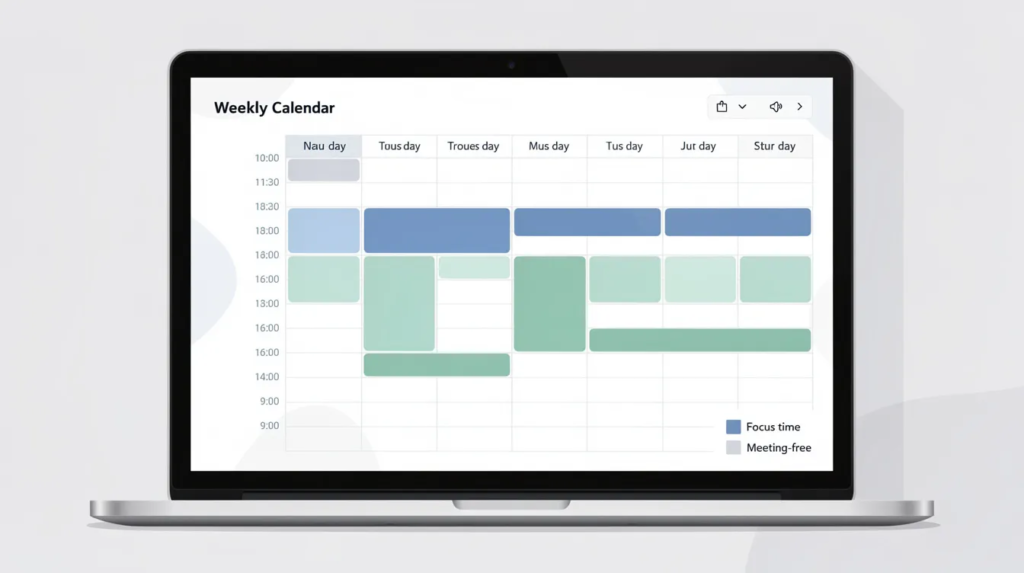
The productivity payoff is real. When engineers, designers, and writers get longer focus blocks, tasks move from “In Progress” to “Done” faster. Less time spent in meetings means less stress and more work quality. Fewer interruptions reduce cognitive load across the team.

Step 5: Keep Systems Simple Enough to Survive Real Life
A system is only good if people can keep using it during busy periods, staff turnover, and holidays. Design for a messy Tuesday in June, not a perfect whiteboard session.
Too many fields, tags, approvals, or templates will be skipped when pressure hits. Over-optimization kills better systems faster than no system at all.
For most teams, this is enough:
3–5 project types
3–4 columns (To Do, In Progress, Blocked, Done)
3–4 priority levels
Every quarter, prune unused fields or automations. Aim to onboard a new hire into your shared system within one morning.
A marketing agency had a 12-step approval workflow for simple blog posts. Posts took weeks. They simplified to owner + one reviewer. Same work quality, less time to publish. Throughput tripled.
The right tools are ones your team will actually use. Simple things win.
Step 6: Continuously Tune the System with Real Data
Systems are never “finished.” They need regular, light tuning as your team and business change.
Track a few practical metrics:
Cycle time (idea to complete)
Items stuck in “Blocked”
After-hours emergencies per month
Use these in monthly reviews to identify bottlenecks. Are approvals slowing everything? Is one person overloaded? Do unclear specs cause rework?
Run small experiments: change one part at a time—add a “Ready for Review” column, simplify intake forms—and observe impact for 2–4 weeks.
Document agreed changes in a simple “Ways We Work” page. Retire outdated rules so processes don’t bloat over time. Press enter on continuous improvement rather than annual overhauls.
Real-World Patterns: How Different Teams Keep Work Flowing
While every company is unique, patterns repeat across agencies, product teams, and ops groups.
B2B SaaS Product Team: Two-week sprints on a single Linear board. Weekly planning sessions. DRI assigned per story. Daily async standups via hub updates. Their engineering team ships predictably without daily syncs.
Client Services Agency: ClickUp workspace per campaign. Ownership explicit in every task. Bi-weekly async check-ins via Twist threads. Clients get regular written updates instead of endless meetings.
Internal Ops Group: Basecamp lists for recurring work. Monthly metrics reviews. Simple templates for common requests.
All three patterns use the same principles—centralization, ownership, rhythms, async communication—but configure them differently for their projects and scale.
Copy principles, not specific tools or jargon. The right system is the one your team will actually use.
Common Pitfalls When Building Systems (And How to Avoid Them)
Many attempts to “get organized” fail because they accidentally add friction instead of removing it.
Pitfall 1: Tool sprawl disguised as systems Adding another app for each problem creates more chaos. Consolidate around one hub and a small supporting cast.
Pitfall 2: Over-engineering before basics Building complex workflows before owners, priorities, and simple boards are in place. Start with minimal viable processes and iterate.
Pitfall 3: No agreed norms Writing up a process but never aligning on daily use. Co-create norms with your team and bake them into onboarding.
Pitfall 4: One-off cleanup efforts A big “spring clean” once a year doesn’t work. Build cleanup into weekly and monthly rhythms so the system stays trustworthy.
Pitfall 5: Ignoring human limits Designing for constant responsiveness ignores focus time, time zones, and time off. Account for real life, not ideal scenarios.
FAQ
How long does it take to see results from a new work system?
Small improvements—fewer “what’s the status?” messages, fewer missed tasks—can appear within 2–3 weeks if the team commits to one hub and clear ownership. Structural benefits like shorter cycle times typically show up over 1–3 months. Start with one team or project as a pilot for 30 days before rolling changes company-wide.
What if my team resists using a central tool or new process?
Involve team members early. Ask where current pain is worst and design the system to solve those pains first. Make the system the easiest path—decisions only count when captured in the hub, meeting agendas drawn from the board. Roll out two or three clear practices first rather than enforcing massive change at once.
Can very small teams (2–4 people) benefit from these systems?
Absolutely. Small teams often feel chaos more intensely because each person wears many hats. Use a lightweight version: a single shared board, simple columns, owners on each task, and one short weekly planning session. For small teams, over-complication is a real risk—prioritize clarity and visibility over formal processes.
How do I balance flexibility with structure as we grow?
Structure should evolve in manageable steps. Start with shared boards and ownership. Add explicit workflows only when recurring problems appear. Revisit norms at key growth moments—10, 25, 50 people—and adjust roles, approval paths, and cadences. Every new layer of process needs a clear purpose and an owner keeping it lean.
What’s the best tool to keep work moving without chaos?
No single tool is the perfect match for everyone. While technology—including AI and automation—can streamline workflows and improve task management, it is essential to have foundational organization in place before leveraging these advanced tools. Evaluate against these criteria: Can it centralize tasks? Make ownership visible? Support async comments? Fit existing workflows? Pilot a tool with a single team for 4–6 weeks before deciding. The best project management tool is the one your team uses consistently.