Knowing whether your platform is actually working goes beyond seeing a homepage load. A platform that’s “online” might still have broken forms, failed tracking, or silent payment errors that cost you leads and revenue every day.
This guide walks you through how to check technical uptime, user flows, and real-world outcomes in under an hour.
Table of Contents
ToggleKey Takeaways
“Working” means three things: technically functioning (loads fast, no errors), user journeys completing smoothly (forms, checkout, login), and business outcomes actually improving (leads, sales, sign-ups).
You can verify basic functionality using Google Analytics, Google Search Console, and simple synthetic tests that run automated checks every few minutes.
A platform’s effectiveness can be assessed by defining what “working” means for your business, such as generating inquiries, selling products, or building credibility. In today’s digital landscape, selecting the best digital platforms is crucial for maximizing your outreach and engagement. These platforms should align with your specific goals and target audience to ensure you achieve optimal results. By carefully evaluating your options, you can drive growth and enhance your brand presence in a competitive market. evaluating digital platforms effectively requires a thorough understanding of analytics and performance metrics to determine their true impact. By focusing on user engagement and conversion rates, businesses can make informed decisions that align with their objectives. This strategic approach not only fosters better customer relationships but also positions your brand for long-term success in the dynamic online space.
Physical address details, secure payment information handling, and live support are critical legitimacy and trust signals before you commit money or sensitive data.
Warning signs like flat conversions despite good traffic, broken contact forms, and suspicious referral sources indicate a platform is not really working, even if it appears online.
Quick Answer: How to Tell if Your Platform Is Working Right Now
Check your analytics, test a full user journey, and confirm real-world results. This takes about 15 minutes and catches most obvious failures.
Here’s what to do immediately:
Load the site in a private browser window on your phone
Complete a key action (submit a form, add to cart, create an account)
Open Google Analytics Real-Time reports and confirm the event appears within 2-3 minutes
If the test action completes smoothly, appears in analytics, and triggers real-world effects (confirmation email, CRM entry, payment notification), your platform is likely working as intended.
The rest of this article provides a detailed step by step guide with ongoing checks, warning signs, and red flags for deeper verification.

What “Working” Really Means for Your Platform
A platform can be “online” but still not working properly. Uptime refers to the amount of time a website is operational and accessible, while downtime indicates periods when the website is not functioning. But uptime alone doesn’t tell the whole story.
True functionality covers three layers:
Technical uptime means the platform loads fast, shows no visible errors, and responds correctly for typical users on mobile and desktop. Tracking system performance indicators like crash rates, loading times, and API error rates is essential for evaluating technical performance.
User journeys refers to critical flows-signup, login, password reset, contact form, checkout-functioning end-to-end without friction or hidden errors.
Business outcomes are the measurable results: phone calls, emails, form submissions, online orders, or booked meetings that increase over weeks and months. For multi-sided platforms, ecosystem health is a primary indicator of value creation.
A platform that loads but has broken tracking, failing conversions, or zero actual usage is not working for your business.
Step-by-Step Guide: Check If Your Platform Is Technically Working
This practical checklist takes 30-45 minutes and requires no technical background. Regularly checking your website’s performance, including load times and functionality, can help identify issues that may not be captured by traditional monitoring tools.
Step 1: Test on multiple devices and networks
Open your platform on at least two devices (phone and laptop) and two networks (home Wi-Fi and mobile data). Look for loading issues, layout breaks, or obvious error messages.
Step 2: Run a speed test
Use tools like PageSpeed Insights or WebPageTest. Target loading key pages in under 3 seconds on 4G connections. Slow pages drive users away before they convert.
Step 3: Walk through every key user action
Create an account, log in, reset a password, complete checkout, and submit a contact form. Use realistic test data and document any broken steps. Pay attention to confirmation messages and emails.
Step 4: Verify security indicators
Check for the HTTPS padlock, valid SSL certificate, and no browser security warnings. Never enter payment information or personal data on a site showing certificate errors.
Step 5: Set up basic uptime monitoring
Use services like UptimeRobot with checks every 1-5 minutes for your main domain and any critical API endpoints. Major outages can cost companies millions per hour-median outage costs reach $2 million per hour in some sectors.
Verify Analytics: Is Your Data Actually Tracking Correctly?
Without working analytics, you cannot know if the platform is performing, even if it looks fine on the surface. Web analytics tracking codes are typically JavaScript snippets that collect data from visitor interactions and report them to the user interface.
This section focuses on Google Analytics 4 because it remains widely used in 2026, but the logic applies to most analytics tools.
Confirm installation is working:
Open your site in an incognito browser window
Navigate to a few pages and complete a test action
Check GA4 Real-Time reports-you should see your session appear within minutes
Verify key events are configured:
Implementing a robust measurement plan with foundational events helps ensure that tracking is working as expected and reduces noise in the data. Confirm that page views, form submissions, add-to-cart, and purchases are configured as conversions.
Use debugging tools:
Open your browser Network tab and GA4 DebugView to confirm that measurement protocol requests are firing without errors.
Cross-check with real data:
Compare analytics numbers with independent signals: CRM leads for a specific day, payment gateway transactions, and email sign-up counts. One enterprise reduced cross-platform data discrepancies from approximately 23% to 1.4% using automated observability tools. Key features for crm success involve not only accurate data collection but also effective communication among teams. By ensuring that all departments are aligned with the CRM goals, organizations can maximize their customer engagement and retention strategies. The implementation of real-time data tracking tools can also play a significant role in achieving these key features.
Missing or flat analytics data after a redesign, domain change, or tag update is a major warning sign that tracking broke.
Connect Digital Activity to Real-World Results
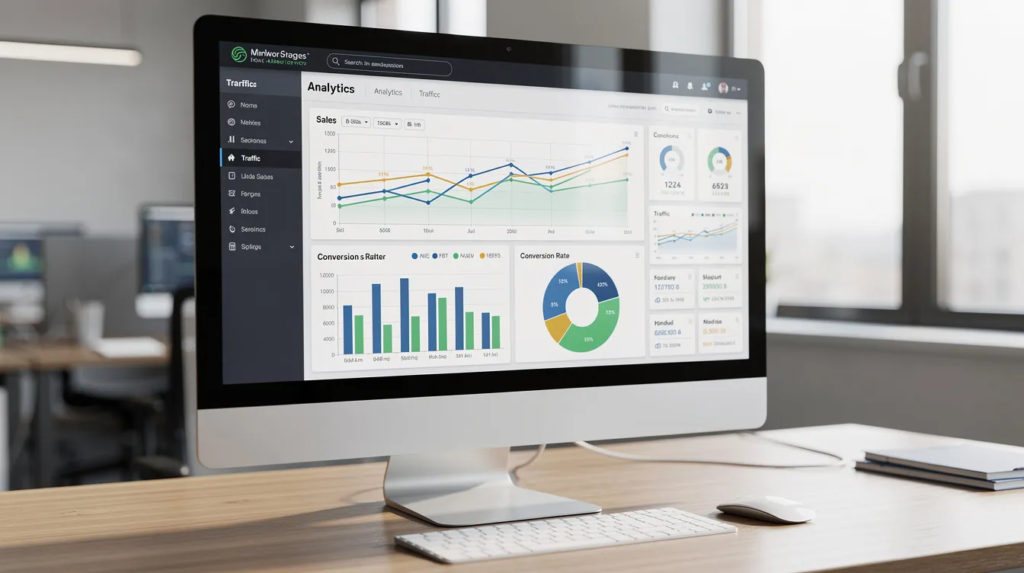
The platform is only “working” if it drives real outcomes like phone calls, bookings, or revenue. User engagement metrics like daily active users, session length, and churn rates help measure platform success.
Answer these questions monthly:
How many phone calls, email inquiries, or sign-ups came through the platform since January 2026?
Do payment processor records match Google Analytics conversion data?
When customers are asked “How did you find us?”, do they mention the website?
Match Google Analytics session and conversion numbers with actual business data from invoicing tools, payment processors, and booking systems.
Combining quantitative analytics with qualitative user input helps understand user behavior. Set simple goals like 10% month-over-month growth in key actions and compare actual performance.
Stagnant or declining inquiries despite healthy traffic suggest that something in the messaging, pricing, or UX is not working-even though the platform is technically online.
Legitimacy and Trust Checks: Is the Platform Safe to Use?
A platform must be both functional and legitimate, especially before users share payment information or personal details. More than 3.4 billion phishing emails are sent every single day, playing a key role in over 80% of cyberattacks and data breaches.
Verify the company’s identity:
Check the physical address using Google Maps and street view
Search national business registries for company registration
Legitimate companies provide clear contact information, including a phone number, physical address, and business email, while scammers often use fake or unverifiable contact details
Evaluate payment methods:
Ensure the platform accepts traceable payment options like credit cards or PayPal. Avoid platforms that only accept unusual payment methods or irreversible options like crypto or wire transfers without clear justification.
Review legal pages:
Look for Privacy Policy, Terms of Service, and Refund Policy pages. Timeliness refers to looking for recent publication or update dates, as outdated content may not serve its intended purpose. Check for “Last updated March 2026” or similar dates.
Verify security:
Domains ending in .gov or .edu are generally highly trusted, while .org and .com require more scrutiny. Confirm HTTPS on all pages where users enter personal or payment data.
Check for support channels:
Well-run platforms list support channels (email, chat, phone) with realistic response times. Total lack of support is a red flag.
A trustworthy business will have a professional, complete website, and poor grammar, lack of legal pages, or generic content can indicate a scam. Reputable platforms often include an “About Us” page, clear authorship, and professional credentials.
Cross-referencing information with trusted, independent sources helps verify accuracy.
Common Warning Signs Your Platform Is Not Really Working
These warning signs indicate problems even without obvious error messages:
Traffic and conversion mismatches:
Sudden drop in conversions or sales while traffic in Google Analytics remains stable
High traffic with low time on page often indicates that visitors are not finding what they need, suggesting the website may not be effective in converting interest into action
High bounce rates (above 80% on core landing pages) and zero repeat visitors over 30 days
Broken functionality:
No inquiries via contact forms for several weeks
Zero newsletter sign-ups despite visible signup forms
Multiple complaints about payment failures from customers
Suspicious traffic patterns:
Visits from irrelevant countries dominating analytics
Referral spam or clear bot traffic inflating numbers
Traffic from search engines that doesn’t match Search Console data
Legitimacy red flags:
No physical address or verifiable company name
Only anonymous crypto wallets for payment
Overly positive reviews that seem fake or unverifiable
Missing or vague privacy policies
Inconsistent branding across pages
Requests for excessive personal data (ID scans, SSN) without clear justification
Unity lost approximately $110 million due to bad data feeding into their ML tools-incorrect audience targeting and wrong bids. Even data problems deep inside platforms can cause massive financial loss.
Ongoing Monitoring: Set Up Automated Checks and Alerts
Avoid discovering issues only when customers complain or sales suddenly drop. A comprehensive website monitoring strategy should include multiple tiers of checks, such as fast HTTP checks, user flow tests, and deeper end-to-end tests, to ensure all functionalities are working properly.
Implement layered monitoring:
Simple HTTP uptime checks every minute for the main domain
Synthetic user-flow tests (login, add to cart, checkout) every 5-10 minutes
Broader browser-based tests less frequently
Configure alerts:
Set up notifications via email, Slack, or SMS for:
Downtime exceeding 2-3 minutes
Failed test transactions
Error spikes in logging tools
Sudden drops in daily sessions or conversions compared to the previous week
Monthly review tasks:
Check Google Search Console for indexing issues, security warnings, or manual actions
Test a full user journey manually
Verify tracking events fire correctly
Confirm contact forms submit and trigger responses
Skim key pages for outdated or incorrect information
One enterprise reduced event-firing lag detection from 11 days to approximately 47 minutes using automated observability tools.
Comparison Table: Ways to Check If a Platform Is Working
Technique | Intensity | Risk of Missing Issues | Best For |
|---|---|---|---|
Quick manual check (load on devices, try core actions) | Low - 15 minutes weekly | High - misses backend and tracking issues | Small businesses, early-stage founders |
Full user-journey test | Medium - 30-45 minutes weekly | Medium - catches UX issues, may miss data drift | Growing sites without dev support |
Google Analytics + Search Console review | Medium - 1 hour monthly | Medium - misses silent tracking failures | Mid-size web and ecommerce businesses |
Synthetic monitoring (automated user flows) | Medium-High - requires setup | Low - catches most failures quickly | Sites with developer support, high traffic |
Full QA audit (UX, performance, security) | Very High - several days quarterly | Low - comprehensive but time-consuming | Large platforms, regulated industries |
Choose a realistic monitoring mix based on your time and technical skill. Start with quick manual checks and Google Analytics, then add synthetic monitoring as you scale.

Advanced Checks for Larger or High-Risk Platforms
Platforms handling large payment volumes or sensitive data require deeper checks beyond basic monitoring.
Log aggregation and error monitoring:
Use tools that aggregate logs and catch backend failures that users might not report immediately. Track API error rates and response times continuously.
Security and testing:
Conduct periodic security scans and penetration tests
Schedule third-party code reviews, especially for platforms storing payment information or personal data at scale
Integrating in-app feedback widgets and conducting A/B testing can improve user adoption
Prepare for traffic spikes:
Run load testing before major campaigns or seasonal peaks to confirm the platform continues working under realistic 2026 traffic levels.
Implement safety nets:
Proper backup, rollback, and staging environments let you test changes without breaking the live platform. A well-functioning platform consistently releases bug fixes, security patches, and new features to show active maintenance.
Implementing a proper testing strategy during the development phase of a website is crucial, as it allows for more accurate monitoring of the website’s functionality once it goes live.
Key indicators for evaluating an online platform include reputable domain extensions, consistent updates, clear contact information, secure connections, and low error rates.
FAQ: Common Questions About Checking If a Platform Is Working
How often should I test whether my platform is working?
Core user journeys should be tested at least once a week manually. Automated synthetic checks can run every few minutes for critical flows like checkout or signup. A more detailed review of analytics, Search Console, and real-world outcomes works best monthly or after any major release or infrastructure change.
Is Google Analytics enough to know if my platform is working?
Google Analytics is essential for understanding traffic and behavior, but it cannot confirm that every form, API, or payment gateway is functioning. Owners should combine analytics with manual tests, uptime monitoring, and real business metrics like orders and inquiries to get the complete picture.
What should I do if my platform is online but no one is converting?
First, re-test all key flows to rule out hidden technical issues like broken forms or failed payment processing. Then review analytics to see where users drop off. Common fixes include improving messaging, simplifying forms, and ensuring calls to action and contact details are clear and visible on mobile.
How can I tell if a platform I want to use is legitimate before I pay?
Check the company’s physical address and registration in official databases. Look for independent reviews across multiple sites-not just testimonials on their own website. Avoid platforms that push urgent payment, lack secure HTTPS, or only accept irreversible payment methods like wire transfers or crypto.
Do I need a developer to set up proper monitoring?
Basic checks, Google Analytics setup, and simple uptime tools can be managed by non-technical owners using guides and dashboards. Complex synthetic tests, log aggregation, and automated recovery systems usually benefit from developer or DevOps involvement, especially on larger platforms with custom code.