Table of Contents
ToggleKey Takeaways
Most CRM implementations fail because they are not built around an explicit, end-to-end customer journey. Approximately 70 percent of CRM projects fail to deliver the expected value, often due to leadership or executive ownership issues, weak adoption strategies, and lack of governance after the system goes live.
Unclear journeys lead to poor data quality, low user adoption, and disconnected business processes that never support real business objectives. Over 60 percent of CRM failures relate directly to people-related challenges, while another 30 percent stem from process issues, indicating that technical problems account for only a small fraction of failures.
Mapping the customer journey first, then configuring your CRM system, improves forecasting, customer experience, and business growth. Companies that successfully align their CRM with a consistent customer journey can see a 23% increase in revenue compared to those with fragmented experiences.
Continuous improvement of both the journey and CRM is essential as business needs and customer behavior change over time.
Leaders must treat CRM as a strategic, journey-led initiative, not a one-time software install, if they want to avoid common failure patterns.
Introduction: CRM Without a Journey Is Just an Address Book
In early 2025, a mid-market SaaS company launched their new CRM system on schedule. The implementation team celebrated. Six months later, revenue hadn’t moved and the sales team had returned to spreadsheets.
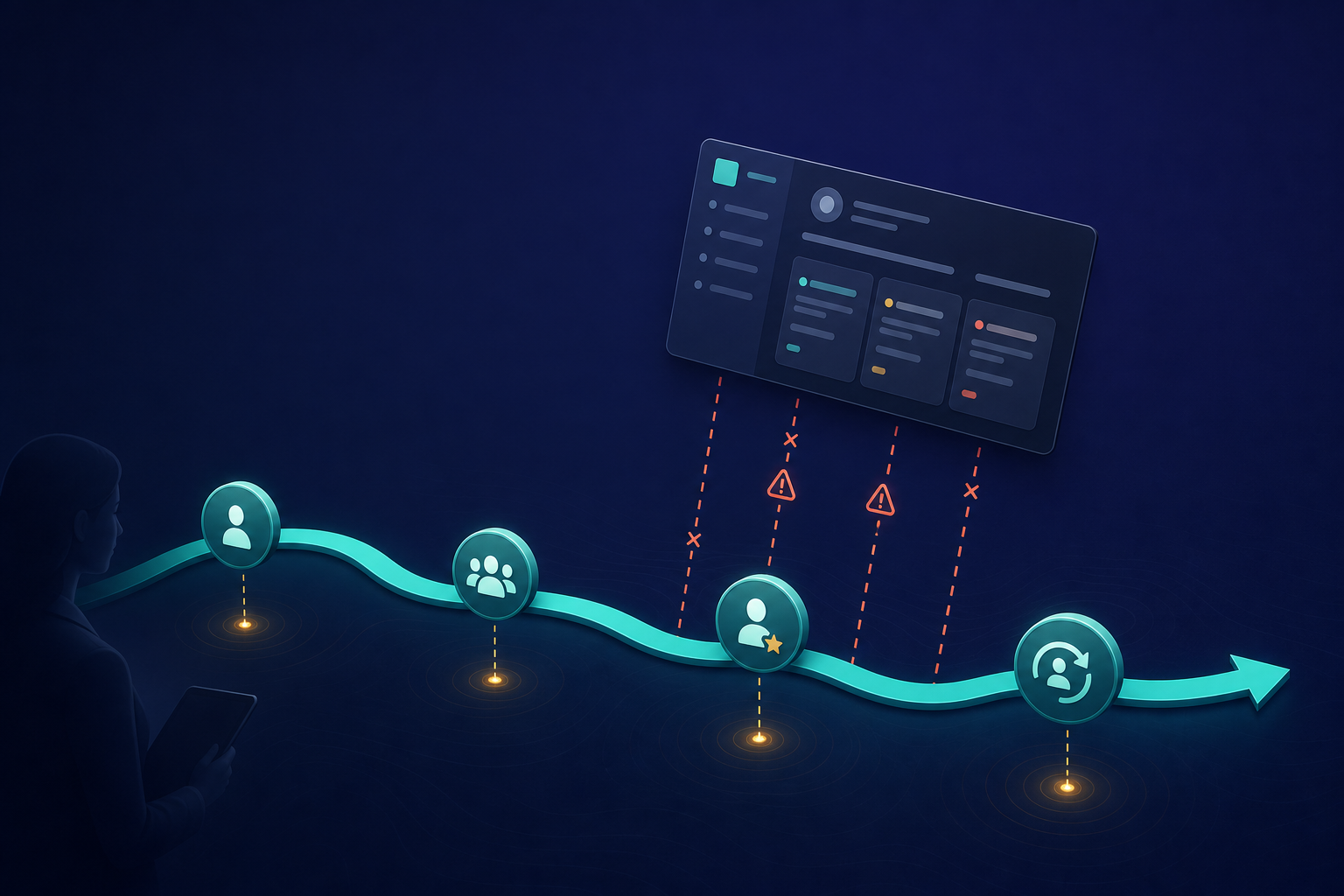
A customer journey is the end-to-end path from first contact through consideration, decision, onboarding, renewal, and advocacy-with clear stages and decision points at each step. A CRM should facilitate the natural steps a buyer takes from initial awareness to post-purchase advocacy.
This article explains why CRM fails without a mapped journey, how to align your CRM strategy with business goals, and what to change in existing CRM initiatives. CRM platforms often fail without a clear understanding of the customer journey because they become expensive digital filing cabinets rather than active growth tools.
The rest of this guide is practical and aimed at executives and CRM owners responsible for driving business growth.
The Missing Link: Why Customer Journey Clarity Determines CRM Success
Your CRM system is only as good as the process model behind it. The customer journey is that model.
Without a journey, teams configure fields, stages, and reports around internal structures like regions and teams instead of actual customer behavior. Sales stages don’t match how buyers decide. Marketing campaigns ignore post-sale experience. Service teams stay isolated from sales data.
If an organization does not understand the customer journey, it will track irrelevant information, ignore key buying signals, and clutter the database with duplicate or outdated records.
Consider these common examples of misalignment:
A “Proposal Sent” stage appears before the customer has fully defined their problem
Onboarding tasks trigger manually instead of automatically at deal close
Renewal workflows exist in a separate system from the original sales pipeline
Customer success can’t see which features drive expansion because product data isn’t connected
These gaps exist because the CRM was designed around internal convenience, not the customer’s actual decision process.
How Unclear Journeys Make CRM Implementations Fail
This section is a diagnostic list. Each bullet represents a specific failure pattern tied directly to missing or vague customer journeys.
These issues appear across industries-B2B SaaS, manufacturing, professional services-and across major platforms like Salesforce CRM, Dynamics 365, and HubSpot CRM. Most of these problems are not technical defects, but consequences of designing CRM before understanding the journey.
Common failure patterns include:
Wrong pipeline stages that don’t reflect buyer decisions
Meaningless KPIs that track activity instead of outcomes
Inconsistent CRM data across teams and regions
Frustrated users who abandon the new system

Misaligned Business Objectives: CRM That Can’t Prove Its Value
Business objectives like “increase expansion revenue by 20% in 2026” connect to specific stages in the customer journey-onboarding, adoption, and renewal.
When journeys are unclear, leadership defines CRM success only in vague IT terms like “go live in Q4” instead of measurable customer outcomes. A lack of clear objectives and goals is a primary reason for CRM implementation failures, as many businesses rush into adoption without understanding what they want to achieve.
This creates reports that track activity counts-emails sent, calls logged-but not real business goals like conversion rate by journey stage or time-to-value.
One company tracked “opportunities created” but not how many moved from “problem defined” to “shortlist” because those journey steps were never modeled. Defining clear, measurable objectives that align with overall business goals is essential for successful CRM implementation, as it provides a roadmap for the project.
Broken Business Processes: When CRM Automates the Wrong Things
Unclear customer journeys produce inconsistent, undocumented business processes that CRM then freezes into software.
Common patterns from 2023-2026 include:
Duplicate lead qualification rules between marketing and sales
Conflicting handoff points with no clear ownership
No defined process for customer onboarding
Without mapping the customer journey, businesses cannot align workflows to actual user needs, leading to poor user adoption and wasted investment. Automation built on broken processes amplifies errors, leading to missed follow-ups, wrong routing, and poor customer experience.
For example, marketing treats “demo requested” as sales-ready, but sales views it as early research. The CRM stages reflect neither reality, so leads stall. If a CRM is not tailored to support specific stages of the customer lifecycle, sales and service reps may abandon it for informal spreadsheets.
CRM Data Chaos: No Journey, No Meaningful Metrics
Without standardized journey stages, CRM data becomes inconsistent. Different reps and teams interpret “qualified” or “active customer” differently.
Poor data quality and management can severely undermine the effectiveness of a CRM system, leading to incorrect insights and decision-making. This inconsistency ruins pipeline forecasts, churn analysis, and cohort reporting.
Specific data problems include:
Missing lifecycle stage fields
Overlapping picklists for status
Custom fields that mean different things in different regions
Incomplete or inaccurate data erodes trust in CRM systems, causing users to stop relying on the system for decision-making. Establishing clear protocols for data entry, cleaning, and maintenance is essential to ensure that data is accurate, complete, and up-to-date, maximizing the CRM system’s effectiveness.
This is why many CRM implementations fail audit or data governance checks by 12-18 months after go-live.
Low User Adoption: Why Teams Reject Journey-Blind CRM
Sales, marketing, and service teams will not adopt a CRM that forces them to work in a way that doesn’t match their real conversations with customers.
Misaligned stages and fields force users into extra clicks or workarounds-notes, spreadsheets, external tools-leading to partial or incorrect data entry. Approximately 70 percent of CRM projects fail to deliver the expected value, often due to weak adoption strategies and lack of user buy-in.
This creates a feedback loop:
Poor journey design leads to bad user experience
Bad experience leads to incomplete customer data
Incomplete data leads to useless reporting capabilities
Useless reports lead to further loss of trust and adoption
Over 60 percent of CRM failures relate directly to people-related challenges, including poor user adoption and resistance to change. In a 2025 rollout, frontline teams reverted to email and spreadsheets within six months because the CRM ignored their actual customer touchpoints.
Effective user adoption requires structured change management, clear communication, and ongoing support from leadership to help teams understand new processes and expectations.
User-centered design must start from the mapped customer journey, not from the vendor’s default objects.
Integration and Handoffs: Customer Journeys Don’t Respect System Boundaries
Customers experience one continuous journey. Companies often break it into technology silos-marketing automation platforms, CRM software, customer service tools, billing, ERP. To create a seamless experience, businesses must embrace digital platforms for small businesses that integrate these various tools into a unified system. By leveraging these solutions, companies can ensure that customer interactions are consistent and personalized at every touchpoint. This holistic approach not only enhances customer satisfaction but also drives operational efficiency across the organization. This integration fosters customer visibility on digital platforms, allowing businesses to gather insights and feedback more effectively. By understanding customer preferences and behaviors, companies can tailor their offerings to meet specific needs. Ultimately, this leads to stronger relationships and increased loyalty from customers who feel valued and understood.
Integration complexity is a significant challenge for CRM platforms, as they must connect with various business applications like ERP systems, marketing automation tools, and customer service platforms. Without a shared journey map, integrations focus only on moving data, not on preserving context across stages.
Examples of integration failures:
Marketing’s “MQL” status not mapped to sales’ opportunity stages
Service tickets not visible in account health scores
Billing data disconnected from renewal workflows
Organizations often underestimate the structural complexity of CRM transitions, which can lead to inheriting weaknesses from legacy systems if not addressed early in the migration process. Overcustomization of CRM systems can create integration challenges, as excessive customization may lead to increased complexity and maintenance issues.
Cross-system workflows must follow the same customer journey definition to ensure seamless integration and reduce friction.
From Software-First to Journey-First: Rethinking CRM Implementation
This section pivots from diagnosing failure to explaining a better approach: designing around the customer journey before choosing fields, objects, or apps.
The 2018-2022 “software-first” approach selected a CRM, then tried to fit processes in. The 2024-2026 “journey-first” method maps the journey, then designs CRM and existing processes to match.
Without journey mapping, a CRM can operate like a spam machine rather than a relationship-building tool, sending irrelevant communications to users. Modern CRM solutions are flexible enough to reflect detailed journeys, but only if those journeys are explicit and agreed.
This shift aligns CRM with business needs and business goals. Organizations that approach CRM with intentionality, alignment, and operational discipline position themselves for sustained growth and improved customer retention.
Practical steps covered next:
Map the current and ideal journey
Align pipeline stages to journey stages
Configure KPIs by journey point
Train and iterate based on feedback
Practical Steps: Designing CRM Around a Clear Customer Journey
Many organizations spend 80 percent of their CRM implementation effort on technology configuration and only 20 percent on adoption and process optimization, which contributes to high failure rates. Follow these steps to reverse that ratio.
Step 1: Map the Journey Define stages from awareness through consideration, decision, onboarding, adoption, renewal, and expansion. Identify key touchpoints and owner roles using customer journey mapping techniques.
Step 2: Translate Stages into CRM Structure Create objects, pipelines, and fields that mirror how customers move. Use names that reflect customer experience, not internal hierarchies. This is essential for sales pipeline management and lead management.
Step 3: Align KPIs to Stages Track conversion rate per stage, time in stage, and churn reason by journey point. This provides actionable insights for strategic decisions. Build dashboards that connect to real business objectives.
Step 4: Embed Journey-Based Workflows Configure alerts for stalled stages. Trigger onboarding tasks automatically at closed-won. Connect renewal sequences to contract dates. Use your integrated platform for contact management and customer engagement.
Step 5: Pilot and Iterate Test with a limited segment or region. Gather frontline feedback through user testing. Adjust before scaling. This reduces risk compared to a single “big bang” launch.

Governance and Continuous Improvement: Keeping Journey and CRM in Sync
Customer journeys and existing workflows evolve as markets change, especially post-2020 with shifts in digital buying behavior.
CRM governance must explicitly include journey ownership. A CRM initiative without leadership support will not succeed, as executives must actively promote the project, allocate resources, and foster a supportive culture.
Governance practices to implement:
Quarterly journey reviews with cross-functional stakeholders
Data quality audits by stage to maintain data integrity
Stakeholder workshops to catch friction points early
Clear ownership of each journey stage transition
Implementations succeed when executives actively champion change, remove organizational barriers, and hold teams accountable for adoption. This supports continuous improvement and keeps the system aligned with changing business needs.
Secure executive sponsorship before any major changes to streamline processes or internal resources.
Beginner-Focused Guidance: Where to Start If Your CRM Already Fails
If you implemented CRM between 2018 and 2024 and now struggle with low user adoption rates and poor reporting, start here. Understanding the essential features for CRM platforms is crucial for maximizing their potential. Focus on user-friendly interfaces, robust analytics capabilities, and seamless integration with other tools to boost engagement and reporting accuracy. Addressing these areas can significantly improve user satisfaction and adoption rates.
Simple starting checklist:
Identify 1-2 core customer segments
Sketch their journey on a whiteboard
Compare it with current CRM stages and fields
Highlight mismatches
Quick wins to improve user adoption:
Remove unused stages that create confusion
Standardize a small set of lifecycle statuses
Fix the most confusing handoff between two teams
Provide comprehensive training on the changes
Start with one product line or region to reduce risk. You do not need to rip and replace your entire CRM to benefit from journey clarity. A solid CRM strategy starts with understanding, not technology.
Advanced and Intense Methods: Deep Journey Analytics and AI in CRM
For mature teams that already have a basic journey mapped, here are ways to push further in 2025-2026.
Use behavioral data-product usage, website events, support history-to refine journey stages and trigger personalized workflows. AI features in modern CRM platforms can forecast next-best actions or churn risk.
However, these intense methods carry higher risk and require:
Stronger data governance
Clear ownership and accountability
More skilled admins or analysts
High-quality, consistent data consistently maintained
Treat advanced analytics and AI as a second phase, after you have stabilized basic journey-to-CRM alignment. Focus first on technical execution and process optimization before adding custom features.
Comparison Table: Techniques to Make CRM Journey-Led
Technique | Intensity | Risk | Best For |
|---|---|---|---|
Basic journey workshop | Low | Low | First-time CRM reviews, small teams |
Full pipeline redesign by stage | Medium | Medium | Organizations with existing CRM and clear leadership |
Cross-system journey integration | High | Medium-High | Mid to large enterprises connecting CRM with ERP, billing, support |
AI-driven journey optimization | High | High | Mature organizations with strong data governance |
This strategic framework helps you choose how far to go based on your internal resources and competitive advantage goals.
Safety and Risk Management: Change Management Around Journey-Led CRM
Safety here means minimizing operational and adoption risks when reconfiguring CRM around the customer journey.
Risk mitigation steps:
Use staged rollouts with clear rollback plans
Back up key customer information before changes
Test new journey-based workflows in sandbox environments
Communicate clearly to teams about why changes improve daily work
Integration failures occur when the CRM system is not properly connected with other business systems, leading to scattered data and difficulties in drawing meaningful insights. Test integrations thoroughly before production deployment.
Assign explicit owners for:
Training and documentation
Post-launch support
Adequate training for users facing a steep learning curve
Empower employees with the knowledge they need to succeed with the new system.

Psychological Effects: How Journey-Led CRM Changes Team Behavior
When CRM reflects the real customer journey, teams feel the system “makes sense.” This increases trust, customer engagement, and consistent data entry.
Clear stages and definitions reduce conflict between departments. Everyone shares a common mental model of where customers are in their relationship with the company.
Accurate, journey-based dashboards improve morale by showing progress on meaningful metrics instead of vanity numbers. Sales reps proactively update opportunity stages because forecasts now affect compensation and reflect reality.
Warning: Sudden, unexplained changes to stages or workflows create anxiety and resistance. Transparent communication about why changes happen and how they help is essential.
When teams see inaccurate data decrease and customer relationships improve, they invest more effort in maintaining the system.
Frequently Asked Questions
How detailed should our customer journey be before we redesign our CRM?
Start with 6-8 core stages-from first touch to renewal and advocacy-rather than dozens of micro-steps. You can add detail later based on real CRM data and feedback. Focus on clear entry and exit criteria for each stage so CRM fields and workflows can be designed unambiguously. An overly complex map early on slows the implementation process.
Can we retrofit an existing CRM to a new customer journey, or do we need a new platform?
Most modern CRM solutions-Salesforce CRM, Dynamics 365, HubSpot CRM-can be reconfigured to match a refined journey without replacing the platform. Start with configuration changes like stages, fields, and page layouts. Only consider new software solutions if the current system truly cannot model your process. Use a sandbox environment to trial the new journey model before applying it to production.
How long does it usually take to align CRM with a clear customer journey?
Realistic ranges: 4-6 weeks for a focused small-business adjustment, 3-6 months for a mid-market or enterprise-wide redesign tied to business processes. Timelines depend on number of teams, systems to integrate, and how much historical data or automation must change. Set phased milestones-one region or product line per month-instead of a single big launch date.
Who should own the customer journey inside our organization?
Shared ownership works best between a senior business leader (CRO, CCO, or VP of Customer Experience) and a cross-functional working group. IT or CRM admins support the journey in technology, but business leaders must own definitions, KPIs, and changes. Formalize this in governance charters so accountability survives personnel changes and CRM investments continue to deliver value.
How do we measure if a journey-led CRM redesign is working?
Track specific metrics before and after changes: stage-to-stage conversion, sales cycle length, onboarding time, renewal rate, and user adoption scores. Set numeric targets in advance-for example, “reduce average opportunity age in evaluation by 20% within 6 months.” Collect qualitative feedback from users and customers alongside hard numbers to capture the full impact on customer retention and business growth.