Table of Contents
ToggleKey Takeaways
A safe rollout means keeping revenue, customer service, and core operations stable while the new platform comes online. Define success in business terms, not technical milestones.
Phased rollouts, parallel runs, and strong change management are the best practices for avoiding disruption during any platform migration. As organizations adapt to new workflows, they must also tackle tool sprawl in remote work settings, which can lead to confusion and inefficiency. By standardizing the tools and platforms used across teams, companies can streamline communication and enhance productivity. Ultimately, this will support a smoother transition and foster a more cohesive working environment. As organizations consider the impact of automation on platforms, they must also evaluate how these technologies can optimize their operations. Embracing automation can lead to improved efficiency and allow teams to focus on higher-value tasks. Moreover, it is essential to ensure that any automated solutions align with existing workflows to maximize their effectiveness.
Teams must map dependencies in legacy systems and plan around real workflows, not just architecture diagrams. Hidden processes cause most failures.
Treat platform migration as a business program with KPIs, owners, and risk controls. This is not just a technical project. choosing digital platforms for success involves aligning them with your overall business strategy and customer needs. Investing time in understanding the unique features of each platform can lead to better user engagement and increased market share. Additionally, regular evaluations on performance metrics will ensure that the platforms you select continue to drive value for your organization. Focusing on the essential features of digital platforms is crucial for tailoring solutions that resonate with your target audience. By prioritizing these features, businesses can streamline operations and enhance customer experiences. Ultimately, a thorough evaluation of platform functionalities will empower your organization to adapt and thrive in a rapidly changing digital landscape.
Security risks and data protection must be built into every stage of the rollout plan, not bolted on at the end.
What “Rolling Out a New Platform Without Disruption” Really Means
No disruption during a new platform rollout means zero impact on core revenue streams, customer satisfaction scores, and operational SLAs. Think no missed orders, no billing errors, and no major customer complaints. If your order fulfillment rate drops below 99.5% or response times spike above 2 seconds, that counts as disruption.
Deploying a new system is not success unless business metrics stay within agreed thresholds. Real disruptions to avoid include call center downtime, reporting gaps at month-end, inventory desynchronization during peak periods, and checkout flow failures. Target’s 2013 SAP rollout caused 10% order discrepancies, leading to $100 million in returns.
Expectations must be written down as service-level and business-level objectives before the rollout begins. Define thresholds like “99.99% uptime for checkout flows” or “zero undetected data discrepancies in daily reconciliations.” The rest of this article gives you practical steps to manage your transition, not abstract theory.
Start With a Grounded Assessment of Legacy Systems
Legacy systems resist replacement because of undocumented custom code, tribal knowledge in spreadsheets, and fragile integrations built over decades. IDC estimates 80% of enterprise apps run on platforms over 10 years old that lack API documentation.
A comprehensive assessment of current technology ensures that new systems address real business needs and avoid unnecessary disruptions. Run a 3-4 week discovery phase where teams catalog all touchpoints:
Map APIs using tools like Postman
Trace batch jobs in cron logs
Audit reports in BI tools
Export manual workflows from Excel or Airtable
Interview front-line users to learn real workflows that never made it into design documents
Map upstream and downstream dependencies (billing, CRM, warehouse, analytics) and rank them by business criticality. GE’s Predix platform migration audited 5,000 microservices over 4 weeks, identifying 300 shadow processes and preventing $50M in rework. Capture current performance baselines and security vulnerabilities so improvements and regressions can be measured after go-live.
Set Clear Business Objectives and Guardrails
New technology rollouts need measurable business goals, not just feature checklists. Defining clear objectives and creating a checklist of must-haves and nice-to-haves is essential when implementing a new platform.
Define concrete objectives like:
Reduce average order processing time by 20% by Q4 2026
Cut manual data entry in customer support by half
Achieve measurable improvements in deployment frequency
Choose guardrail metrics including maximum acceptable downtime, error rates, backlog thresholds, and NPS dips during migration. Align C-suite expectations by turning objectives into KPIs reviewed weekly during rollout. Organizations using KPI guardrails see 2.5x higher success rates in migrations according to McKinsey. These objectives should drive prioritization for your first releases.
Design a Phased, Low-Risk Rollout Plan
Big bang go-lives on a single weekend are usually the highest-risk option for a new platform. The Standish Group CHAOS Report 2023 shows big bang cutovers fail 50% of the time, risking 24+ hours of downtime.
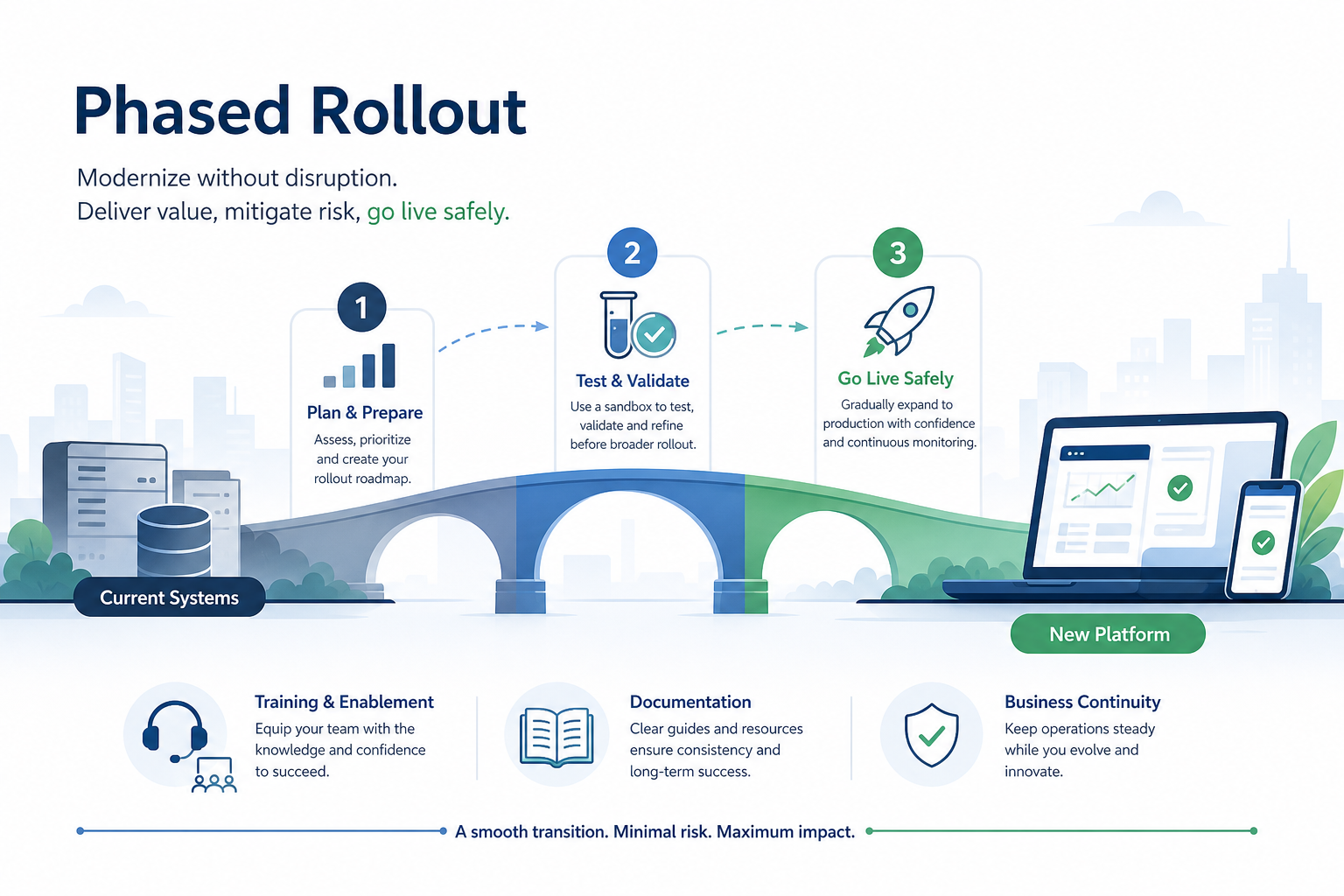
Phased implementation minimizes disruption by rolling out the platform in stages, allowing for early issue detection. Companies that fail to break modernization into smaller, manageable phases increase the risk of disruption and make it harder to test and adjust systems effectively.
Use a phased approach:
Week 1-4: Pilot with 5% internal users
Week 5-8: Limited production with 10% low-risk customers
Subsequent waves: Expand 20% monthly
Time-box phases to 4-6 weeks with entry and exit criteria based on stability and business KPIs. Start with internal users, one product line, or a non-peak season like February instead of Black Friday. Domino’s Pizza rolled out their ordering platform in 2019 starting with 50 test stores in off-peak February, expanding to 6,000 by June with formal go/no-go checkpoints at each gate.
A phased rollout approach reduces risk and allows teams to adapt gradually. Have pre-approved rollback plans for each phase. Robust rollback plans should be tested to ensure there is a method to revert to the old system if severe issues arise.

Run Parallel Systems and Validate With Real Data
Running the legacy system and the new platform in parallel protects business continuity. Maintaining parallel systems until new ones are stable is crucial; shutting down legacy systems too soon can lead to significant operational risks.
For critical business flows, use dual runs: process the same transactions through both systems and compare outputs daily.
Create automated reconciliation reports comparing totals, counts, and balances
Run manual spot checks for complex edge cases like refunds
Use tools like Apache Airflow for ETL diffs
An incremental approach to modernization, such as the Strangler pattern, allows organizations to introduce improvements without disrupting core business functions. Route 10% of traffic initially to the new platform with fallback to legacy via an API gateway, scaling to 100% over 3 months.
Maersk’s TradeLens blockchain migration dual-ran 1M shipments, catching 2% data mismatches pre-cutover and saving $10M. Parallel operation should last at least one full business cycle, such as a month-end close or major campaign.
Embed Security and Compliance Into the Rollout
Modernization efforts can introduce new security risks if controls are not built into the rollout plan. Industries like finance and healthcare have strict security and compliance regulations, and rushing modernization without ensuring compliance from day one can lead to audit failures, fines, and security vulnerabilities.
Pre-migration tasks include:
Data classification using tools like AWS Macie
Access reviews across existing systems
Threat modeling of the new software platform using frameworks like STRIDE
Organizations must embed compliance controls, risk management strategies, and access restrictions at every stage of modernization to ensure security is not an afterthought. Enforce least-privilege access, strong authentication with MFA, and encryption in transit and at rest from the first test environment.
Companies that prioritize cybersecurity in modernization efforts see measurable improvements in regulatory compliance and risk reduction, ensuring operational stability and building customer trust. Validate GDPR, HIPAA, or PCI DSS requirements before production use. Penetration testing, logging, and real-time monitoring should be part of go-live criteria.
The Equifax 2017 breach from unpatched legacy systems cost $1.4B. Don’t repeat that mistake.
Invest in Change Management and Training
People, not code, are usually the main source of disruption during a platform migration. Prioritizing employee training and change management is critical for a smooth technology rollout, as engaged and informed employees significantly contribute to the success of new implementations.
Creating a clear vision and communicating it effectively helps unify various groups within an organization, reducing confusion and resistance during technology transitions. Appoint a visible project champion and local change agents in each department.
Comprehensive training and support should occur before implementation:
Start with sandbox environments for hands-on practice
Run 2-hour role-based sessions (sales learns quoting, support learns ticketing)
Assign simple practice tasks like “process 10 orders”
Train the Trainer programs can facilitate smoother adoption by training power users who will then train their peers. Adobe’s rollout trained 20K users in waves, hitting 95% adoption via champions.
After launch, provide office hours, recorded how-to videos, quick reference guides, and a clear support channel. Clear, two-way communication with employees about changes can reduce resistance and align stakeholders on new processes. Acknowledge anxieties openly and gather feedback rather than blaming users for resistance.

Monitor, Learn, and Optimize After Go-Live
Risk does not end on launch day; it shifts to monitoring and continuous improvement. Set up live dashboards tracking business KPIs from day one:
Orders per hour (target: >1K)
Response latency (<500ms)
Support tickets (<50/day)
Monitoring implementation post-go live and having a feedback mechanism helps ensure the new system delivers promised benefits. Run daily stand-ups during the first 2-4 weeks to review incidents and prioritize enhancements.
Developing success criteria and measuring progress is essential in change management, as it motivates teams to stay on course. Conduct post-implementation reviews at 30, 60, and 90 days comparing outcomes against original objectives. Setting clear timelines and go-live dates helps ensure all employees are aligned during the transition.
Once stability is proven (typically 90 days), decommission legacy components to reduce operational costs and simplify the environment.
Quick Answer: Core Techniques for Safe Platform Rollout
Here is a skimmable list of practical rollout techniques with intensity, risk, and skill context:
Phased Rollout: Divide users into waves (internal, small customers, full deployment). Medium intensity, low risk, basic project management skills required.
Canary Releases: Route 5% traffic to new version, monitor for 1-2 hours. Low intensity, very low risk, intermediate DevOps skills needed.
Blue-Green Deployment: Mirror environments, switch traffic instantly. High intensity due to dual infrastructure costs, very low risk, advanced CI/CD skills required.
Parallel Run: Dual-process transactions and reconcile outputs. High intensity for data sync effort, low risk, data engineering skills needed.
Pilot Program: Test with one department or region for 4 weeks. Low intensity, medium risk, basic skills required.
Feature Toggles: Enable features for subsets post-deploy. Medium intensity, low risk, intermediate coding skills.
Dark Launching: Run new code silently while monitoring metrics. Low intensity, very low risk, monitoring expertise needed.
Creating a sandbox environment for testing configurations and integrations helps prevent disruptions to live data. User Acceptance Testing allows key users to test functionality and identify issues before full scale deployment. Combine several techniques to match your risk appetite and timelines.
Comparison Table of Rollout Techniques
This table helps decision makers compare methods at a glance when planning their platform migration.
Technique | Intensity | Risk | Best For |
|---|---|---|---|
Phased Rollout | Medium | Low | Customer segments, gradual scale |
Canary Releases | Low | Very Low | Web traffic, quick feedback |
Blue-Green Deployment | High | Very Low | Zero-downtime enterprise systems |
Parallel Run | High | Low | Transactional accuracy, finance |
Pilot Program | Low | Medium | First-timers, low-volume teams |
Feature Toggles | Medium | Low | Agile teams, iterative improvements |
Dark Launching | Low | Very Low | Metrics validation pre-activation |
Approaches for First-Time or Smaller Rollouts
If you are rolling out a new platform for the first time or work in a smaller organization, start simple. Recommend pilot projects, department-by-department rollout, and extended parallel runs.
Keep scope narrow (one process or region)
Minimize customization and rely on vendor best practices
Plan 3-6 months total, adding 20% buffer for training
Capture lessons in a wiki for future modernization efforts
Treat the first rollout as a learning project. Companies that modernize can cut maintenance costs by up to 50% and increase annual revenue by 14%, freeing up capital for innovation.
Handling High-Intensity, Enterprise-Wide Migrations
Some organizations must move an entire system (core ERP or CRM) in a tight window. For enterprise migrations, use blue-green deployments, strict freeze periods, and 24/7 war rooms around go-live weekends.
Coordinate across multiple teams (IT operations, finance, customer service) with a single command structure
Create clear escalation paths to the CTO
Maintain full data backups via tools like Veeam
Run 3 dress rehearsals hitting 95% success before the real cutover
Communication plans should include customers and external partners when migration could affect service availability. Organizations that follow a structured approach to modernization achieve increased deployment frequency and reduced operational costs.
Psychological and Organizational Effects of Platform Change
Large platform changes affect culture, identity, and perceived job security. McKinsey research shows 40% of employees fear job loss during major technology transitions, and productivity typically dips 20% in week one.
Typical reactions include anxiety about learning new skills, fear of automation, and frustration when early bugs appear. Manage these effects with:
Transparent weekly updates
Celebrating small wins
Recognizing early adopters and mentors
Involving staff in testing and feedback turns skeptics into advocates and surfaces hidden business rules early. Successful modernization strengthens employees’ confidence in future change, building a more adaptable organization across the entire organization.
Modernizing legacy systems can increase agility, efficiency, and scalability, allowing businesses to innovate rather than just maintain outdated infrastructure. When done right, you remain competitive and position your company for long term success.
FAQ
How long should a safe new platform rollout take?
Timelines vary by scope, but most medium-sized business platform migrations run 6-18 months from assessment to full cutover. Include at least one full business cycle (quarterly close, seasonal peak) in pilot or parallel runs before shutting down legacy systems. Overly aggressive timelines are a major source of disruption and unplanned downtime according to PMI research.
Can small companies skip parallel runs to save time?
Very small teams with low transaction volumes sometimes can, but they assume higher risk if issues appear after go-live. Use lighter-weight safeguards like full database backups, test migrations with sample data, and staged customer rollouts. At minimum, run critical reports in both old and new systems for a trial period of at least two weeks.
What if our legacy system is too fragile to run in parallel?
Stabilize the legacy environment first by patching, freezing changes, and running non-intrusive monitoring for one month. Alternatives include snapshot-based testing, synthetic transactions, and staged read-only integration with the new platform. If a true parallel run is impossible, your rollback and contingency plan must be especially strong and well-rehearsed.
How do we budget for a low-disruption platform migration?
Include software, IT infrastructure, training time, backfill for key staff, and external expertise in your budget. Funding for temporary overlap of legacy and new systems is often cheaper than the cost of a failed cutover. Frame the budget in terms of avoided downtime (averaging $5,600 per minute for large enterprises), compliance fines, and customer churn.
When is the right time of year to roll out a new platform?
Avoid known peak periods such as holiday retail seasons, fiscal year-end closes, or major campaign launches. Target quieter windows like February, May, or October when staff can focus on learning the new solution. The chosen window should allow buffer time before the next high-stakes business event in case stabilization takes longer than planned.