Table of Contents
ToggleKey Takeaways
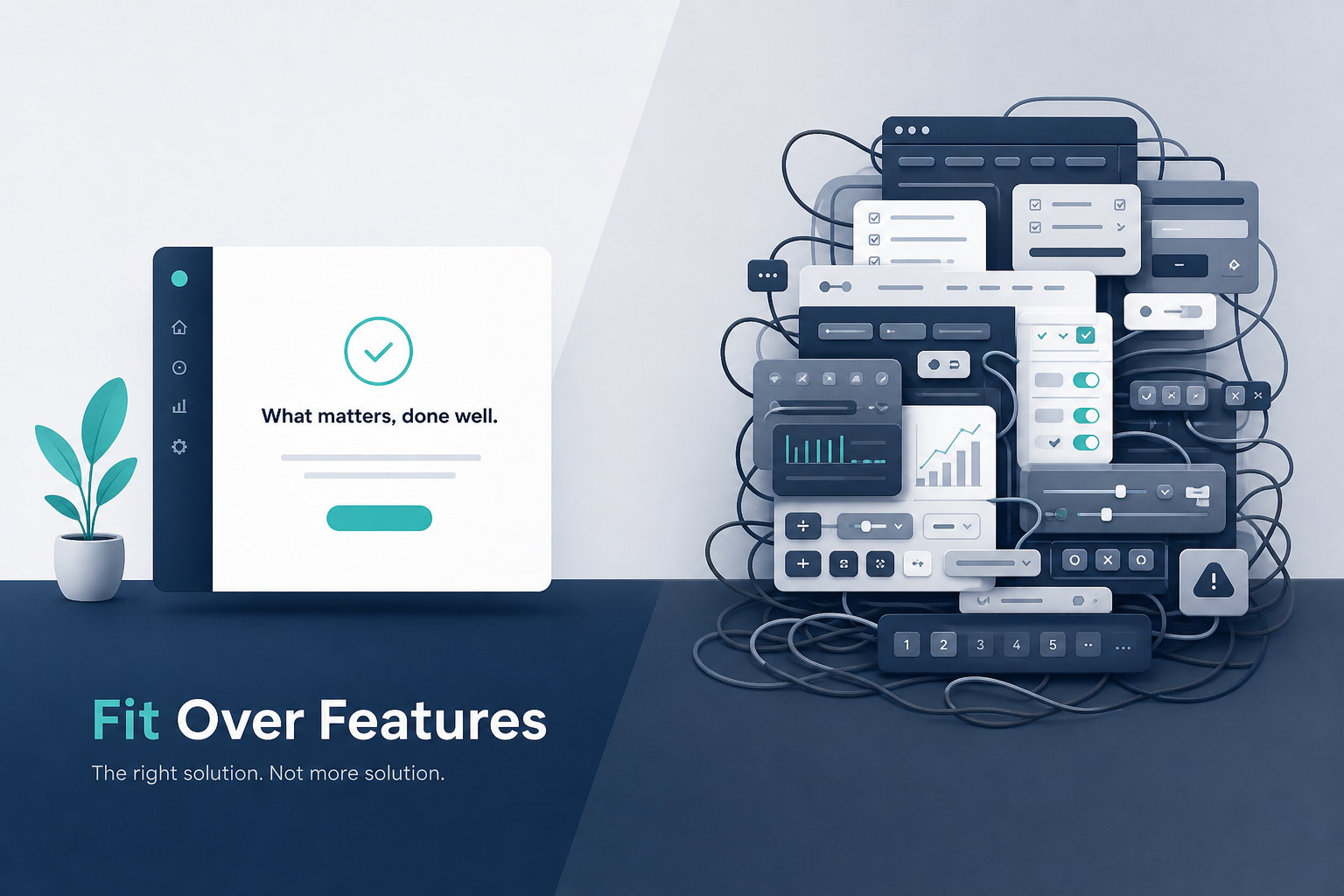
Feature overload happens when products or martech stacks add more features and platforms than users can realistically adopt. This reduces value instead of increasing it.
The goal is platform fit: choosing a smaller, focused set of tools that match concrete user needs and workflows, not chasing every possible capability. This approach encourages efficiency and clarity in project execution. By choosing effective tools for projects, teams can streamline communication and enhance collaboration, fostering a more productive environment. Ultimately, this targeted selection can lead to improved outcomes and greater satisfaction for all stakeholders involved.
Too many features and multiple platforms create hidden costs: integration tax, training overhead, support tickets, and wasted subscription spend on underused features. platform adaptability enhances user experience by allowing users to customize their interactions according to their preferences. This flexibility not only improves satisfaction but also encourages greater engagement with the platform’s capabilities. As system needs evolve, the ability to adapt quickly ensures that users remain productive and invested.
Teams get more value by simplifying: consolidating their martech stack, pruning unnecessary features, and doubling down on the 20-30% of functionality that actually drives business outcomes.
This article provides a practical framework, real examples, and a comparison table to help you avoid feature overload and choose better-fitting platforms.
Quick Answer: How to Avoid Feature Overload and Find Platform Fit
How do you stop adding too many features and platforms and start choosing what truly fits? You shift focus from feature sets to user outcomes.
Platform fit means aligning your tools and product design with real user behavior—what people actually use day to day. It prioritizes depth over breadth. Instead of buying enterprise platforms with 500 modules, you pick solutions that cover your top workflows with minimal friction. When evaluating platform replacement decision criteria, organizations should assess not just the features but also the ease of integration with existing systems. This approach ensures that the selected platform enhances productivity without overwhelming users with unnecessary complexity. By focusing on criteria that prioritize usability and workflow efficiency, companies can make informed choices that drive long-term success.
Here are five techniques to achieve platform fit:
Audit usage data – Export analytics, rank features by real usage, tag what matters (Low intensity, Low risk, RevOps/Product)
Cut or hide low-use features – Deprecate or relocate options nobody touches (Medium intensity, Low risk, Product/UX)
Consolidate overlapping tools – Merge redundant platforms into fewer, deeper integrations (High intensity, Medium risk, Ops/Leadership)
Design for 80% use cases first – Default to simple flows, hide complexity (Low intensity, Low risk, Product/UX)
Map features to explicit user problems – Reject ideas that don’t tie to validated needs (Low intensity, Low risk, Product)
Each technique builds toward the same outcome: a leaner workflow that delivers more value with less effort.
What Is Feature Overload and Platform Fit?
Feature overload is not simply “lots of features.” It means too many features for the time, attention, and skills your users actually have. Companies often add features based on internal assumptions or competitor comparisons, rather than real user behavior, leading to misalignment with actual user needs.
Platform overload is the stack-level version. Mid-market teams now run 10+ martech solutions on average, with 30-60% feature overlap. Data silos multiply. Integration costs spike. New users drown in logins.
Platform fit is the opposite. It represents the deliberate, strategic alignment of features to a core, cohesive purpose. Here are the working definitions:
Feature overload – Accumulating functionality beyond what users can adopt, creating cognitive load and wasted resources
Platform overload – Running 8-15 loosely connected tools where redundancy erodes efficiency and budget
Platform fit – A right-sized set of platforms whose core flows map directly to user needs and business goals

Technique Comparison: Ways to Reduce Feature Overload
This table helps you scan which approach fits your current situation—whether you’re an early-stage startup, scaling B2B SaaS, or mid-market team with a large martech stack.
Technique | Intensity | Risk | Best For |
|---|---|---|---|
Feature Audit | Medium | Low | All stages, usage data available |
Platform Consolidation | High | Medium | Mid-market, 8+ tools |
Progressive Disclosure | Low | Low | UX teams, existing products |
Outcome-Based Roadmapping | Medium | Low | Product-led growth startups |
Needs-First Prioritization | Low | Low | Early-stage, founder-led teams |
Use this as a starting point. If you have usage data, start with an audit. If you’re drowning in multiple platforms, prioritize consolidation. choosing digital platforms for growth can significantly streamline your operations and enhance user engagement. By identifying the platforms that align with your business goals, you can allocate resources more efficiently. This approach not only saves time but also promotes a more cohesive strategy across your digital presence.
Why More Features Don’t Automatically Mean More Value
The misconception that more features equal more value often leads to unnecessary additions without considering if they are needed. Product teams add parity features based on competitor checklists and RFP requirements rather than validated needs.
Here’s why more features can backfire:
Diluted focus – Adding more features does not automatically increase product value. In fact, it can harm product-market fit by overwhelming users and complicating their experience.
Cognitive load – Users process 5-9 items in working memory. Overloaded interfaces exceed this, raising error rates 20-40%.
Wasted investment – CRMs ship hundreds of configuration options, but sales teams use contacts, deals, and email logging. The rest sits untouched.
Feature addiction occurs when companies prioritize adding features over enhancing user experience. This leads to a diluted core functionality and increased development costs.
Hidden Costs of Feature Overload and Platform Overload
Beyond subscription prices, feature overload creates a stack of hidden cost that erodes ROI over 12-36 months.
Concrete hidden costs include:
Integration tax – Mid-market teams spend 20-30% of engineering time gluing tools together. At $150/hour, that’s $150K+ annually.
Training overhead – New-hire ramp time triples in bloated product environments—from 2 weeks to 6.
Support load – Support tickets spike 40% from “how do I…” queries on unnecessary features.
Subscription waste – Teams waste 30-50% of spend on unused capabilities. A $100K platform often costs $210K when you add redundancy and ongoing support.
Every new feature requires development time, maintenance, and bug fixes, contributing to rising technical debt and maintenance costs. Decision fatigue adds 15-20% project delays.
When “More Features” Actively Hurt User Needs
Feature overload can lead to user frustration, decreased engagement, and lower adoption rates. Users struggle to navigate a cluttered interface filled with unnecessary options.
Consider a marketer trying to launch a simple email campaign inside a bloated product built for deep multi-branch journeys. They waste 15-20 minutes navigating toggles they’ll never use. Ten percent abandon the task entirely.
Extra configurability reduces trust. Users fear “breaking something” because they don’t understand what complex options do. New-hire ramp time doubles when every app in the workflow is over-featured. Too complicated products require more training, which decreases adoption rates.
A product with hundreds of features doesn’t guarantee success. It often leads to frustration, less engagement, and lower adoption rates.
How Platform Fit Works: Matching Tools to Real User Needs
Platform fit sits at the intersection of three things: user needs, business outcomes, and team capacity (skills, time, headcount).
Effective products focus on providing a superior, simple experience that solves a specific problem, rather than trying to offer every conceivable feature. Platform fit doesn’t mean “one tool to rule them all.” It means fewer, better-integrated platforms with intentionally selected features.
Design around primary use cases—your top 5 recurring workflows—rather than rare edge cases. Test for platform fit by:
Analyzing feature usage logs (features below 5% usage are prune candidates)
Running usability tests with both novice and power users
Interviewing new users and experts separately to surface different needs
Tracking time-to-value metrics (target under 1 week)
Examples of Platform Fit in Practice
A hypothetical mid-market B2B SaaS company cut from 11 martech solutions to 5 in 2025. They kept only what directly supported lead generation, onboarding, and lifecycle email.
Results after consolidation:
Campaign launch time fell 40%
Support tickets dropped 55%
Annual savings of $80K
They removed redundant features—three separate email builders became one platform that fit most campaigns with simpler workflows.
Another team replaced a complex “do-everything” project management suite with a lighter solution matching how they actually plan and communicate. Productivity rose 22% via fewer context switches.
Both decisions prioritized fit over raw feature count. Measurable improvements followed.

Practical Techniques to Avoid Feature Overload in Product Design
This section provides a concrete playbook for product managers, designers, and founders who want to ship less but deliver more value.
Here we go deeper into the five techniques summarized above. Apply them iteratively in 2-4 week cycles, not as a one-time cleanup project.
1. Start With User Needs, Not Feature Ideas
Frame work around user problems and jobs-to-be-done. “Close deals faster” beats “add more reporting filters.”
Methods to surface real needs:
Analyze 1,000 support tickets (80% cluster to 5 core needs)
Interview 20 users per quarter
Track abandonment in product analytics
A strong product roadmap should focus on outcomes, not outputs, ensuring that the features developed align with solving real user problems. To avoid unnecessary complexity, define features early in the development process. Ensure each feature has a clear purpose and addresses specific user needs.
Before greenlighting any new feature, ask: “What user outcome changes? How will we measure it?”
2. Design for the 80% Use Cases First
Most users repeat a handful of tasks daily. These should guide default flows and visible options.
Simplify primary workflows. Relegate advanced controls to secondary screens or admin-only areas. A campaign builder defaults to simple send while complex journeys hide behind an “Advanced” toggle.
Prioritizing essential features that align with user needs helps maintain a streamlined and effective user experience. This is not “dumbing down”—it’s Pareto optimization. Intercom shortened messaging flows 40% using this approach. NPS jumped 22 points.
3. Use Progressive Disclosure Instead of Showing Everything
Progressive disclosure means showing complexity only when users explicitly ask for it. Start with basics, then layer on advanced options.
UI examples:
Expandable panels for advanced filters
“More details” links that reveal settings
Role-based interfaces where admins see more than front-line staff
Test interfaces with both novice and expert users. Novices should complete 95% of core tasks. Experts should feel no more than 10% slower. This supports power users without baseline bloat.
4. Run Regular Feature Audits and Prune Ruthlessly
Export usage data quarterly. Rank features by real-world usage. Tag each as core, secondary, or legacy.
Hide, deprecate, or remove low-use features that don’t map to strategic needs. Adding more features can lead to declining sales and user trust when the core workflow becomes confusing.
Capture qualitative feedback before cutting features that vocal minorities rely on. Communicate clearly when features move or disappear. Pruning creates room for deeper improvements to functionality that matters most.
5. Move from Feature Roadmaps to Outcome Roadmaps
Traditional roadmaps list “what we’ll build.” Outcome roadmaps start from “what must improve.”
Example outcome statements:
“Reduce average time to publish a campaign by 30%”
“Increase self-serve onboarding completion to 70%”
Features become hypotheses tied to outcomes. Adding more features does not automatically lead to better adoption or customer satisfaction. A strong product roadmap should focus on outcomes rather than outputs, emphasizing the problems to be solved.
Review outcomes quarterly. De-prioritize features that no longer support goals, even if stakeholders requested them earlier.
Managing Feature Overload Across Multiple Platforms (Your Martech Stack)
Platform overload compounds feature overload at the stack level. The average mid-market marketing team juggles 10.2 tools—CRM, email, CDP, analytics, social, attribution, and more.
Overlapping features (three email builders, two form tools) create data silos, confusion, and wasted spend. Stack design should focus on fewer, deeper integrations rather than many loosely connected tools.
Auditing Your Martech Stack for Platform Fit
Run a 4-step audit:
Inventory – List all tools with annual license costs
Document – Map key features used in each platform
Tag overlaps – Note redundancy in email, forms, automation, segmentation, reporting
Estimate true cost – Add integration hours and training overhead
Create a simple matrix listing user roles (marketing ops, lifecycle, performance, sales) against tools they use weekly. This surfaces quick wins where tools can consolidate.
Recognizing Signs of Platform Overload
Watch for these symptoms:
Users constantly exporting CSVs between tools
Frequent complaints about login fatigue
Campaigns delayed by integration issues
Teams reverting to spreadsheets because platforms feel too slow
Rising budgets for middleware and file sharing tools nobody can explain
Treat these as early-warning signals that platform fit has eroded.
Consolidating for Platform Fit Without Losing Critical Features
Choose a smaller set of core platforms that cover essential workflows without reintroducing bloat.
Prioritize platforms with:
Strong native integration
Clear, intuitive UX
High adoption among current team members
Plan migration in phases. Migrate one high-value workflow at a time. Turn off niche modules that don’t serve defined needs, even if included by default.
Successful consolidation measures success in adoption, faster execution, and lower total cost of ownership—not in catalogued features.
Safety, Risk, and Change Management When Simplifying Your Platforms
Simplification requires careful change management. People build habits and workarounds on existing tools. The main risks are data loss, broken workflows, user backlash, and downtime during migration.
Low-Risk Ways to Test Simplification
Start with pilots:
Hide or replace features for a subset of users
Use feature flags or role-based permissions to limit exposure
Set clear metrics: task completion time, error rate, satisfaction scores
Run A/B comparisons between old and simplified versions
Capture learnings before broader rollout.
Protecting Data and Workflows During Platform Consolidation
Follow a basic migration checklist:
Inventory all data and define ownership
Map fields between systems
Plan cutover windows with backups and sandbox testing
Run systems in parallel for 2-4 weeks before shutdown
Maintain a clear rollback plan
These steps mitigate 80% of consolidation risks.
Psychological and Team Effects of Feature Overload
Feature overload impacts morale, cognitive load, and confidence—not just budgets. Constantly changing tools and complex interfaces increase stress by 25% according to research. This effect hits non-technical roles hardest.
Simplification can be an engagement and retention strategy, not just an efficiency play.
How Simpler Platforms Improve Adoption and Performance
Tools that “just make sense” on first use lower training needs and speed time-to-value. Reducing steps in a workflow directly improves campaign throughput, sales follow-up speed, and support resolution time.
Measure adoption by depth of usage in core features and reduction in workaround tools like ad-hoc spreadsheets. Feature overload can dilute a product’s core value, making it essential to prioritize features that enhance user experience and align with the product’s primary purpose.
People explore advanced capabilities once basics feel smooth and reliable.
Beginners vs. Power Users: Tailoring Features Without Overload
Most platforms serve a mix of new users, occasional users, and power users with different needs. Designing primarily for power users drives complexity that scares everyone else away.
Layer complexity so each user group sees the right depth.
Designing Safe Defaults for New and Infrequent Users
Provide guided flows, templates, and pre-set configurations. New users should be productive quickly.
Use tooltips and checklists focused on core tasks
Disable high-risk advanced settings until users demonstrate consistent usage
Offer “simple send” modes, basic dashboards, and starter automation recipes
New users should never need to understand the full platform to complete their first few tasks.
Empowering Power Users Without Overwhelming Everyone Else
Use role-based access and “pro” modes visible only to certain roles. Involve power users in co-design sessions.
Logs, APIs, and advanced reporting can exist without cluttering main interfaces. Offer deeper documentation and community spaces for expert use cases. Gather feedback from both segments regularly.
Success means power users go deep without dragging baseline experience into unnecessary complexity for the target audience that handles increasing demands daily.

FAQ: Platform Fit and Feature Overload
These questions address common dilemmas not fully covered above. Each answer focuses on practical decision-making.
How do I know if my team is suffering from feature overload?
Signs include low adoption of new features, confusion in training sessions, rising support tickets about basic questions, and people avoiding official tools for spreadsheets. Run a quick anonymous survey asking which tools and features people rely on weekly versus find confusing. Pair results with usage logs to confirm where overload hits hardest.
Is using multiple platforms always bad, or can it be a good strategy?
Multiple platforms aren’t inherently bad. The problem is unmanaged platform overload with high overlap and poor integration. Specialized tools work when each has a clearly defined role and integrates cleanly. Cap core platforms per team and review the stack annually to maintain fit. One should be mindful of common pitfalls in platform implementations, as they can lead to inefficiencies and increased costs. Identifying these issues early on allows teams to adapt and optimize their workflows accordingly. Regular training and clear communication among team members can also help mitigate these risks.
How often should we run feature or platform audits?
A light review every quarter and a deeper audit every 12 months works for most teams. Fast-scaling companies or those undergoing major changes may need audits more frequently. Tie audits to planning cycles so roadmap decisions reflect what’s actually used and valued.
What should I do when important stakeholders push for more features?
Reframe conversations around user outcomes. Ask which metric or behavior the requested feature should change and how success will be measured. Offer small experiments or limited pilots instead of fully committing. Show data from usage and previous launches demonstrating how core value often delivers more than new options.
Can we fix feature overload without rebuilding our entire product or stack?
Most teams make significant progress by simplifying flows, hiding low-value options, and consolidating overlapping tools. Full rebuilds are rare and risky. Incremental improvements guided by data and user research work faster. Start with one or two high-impact areas, prove value, and expand simplification across the product and martech stack. Long term success comes from sustained focus, not dramatic overhauls.